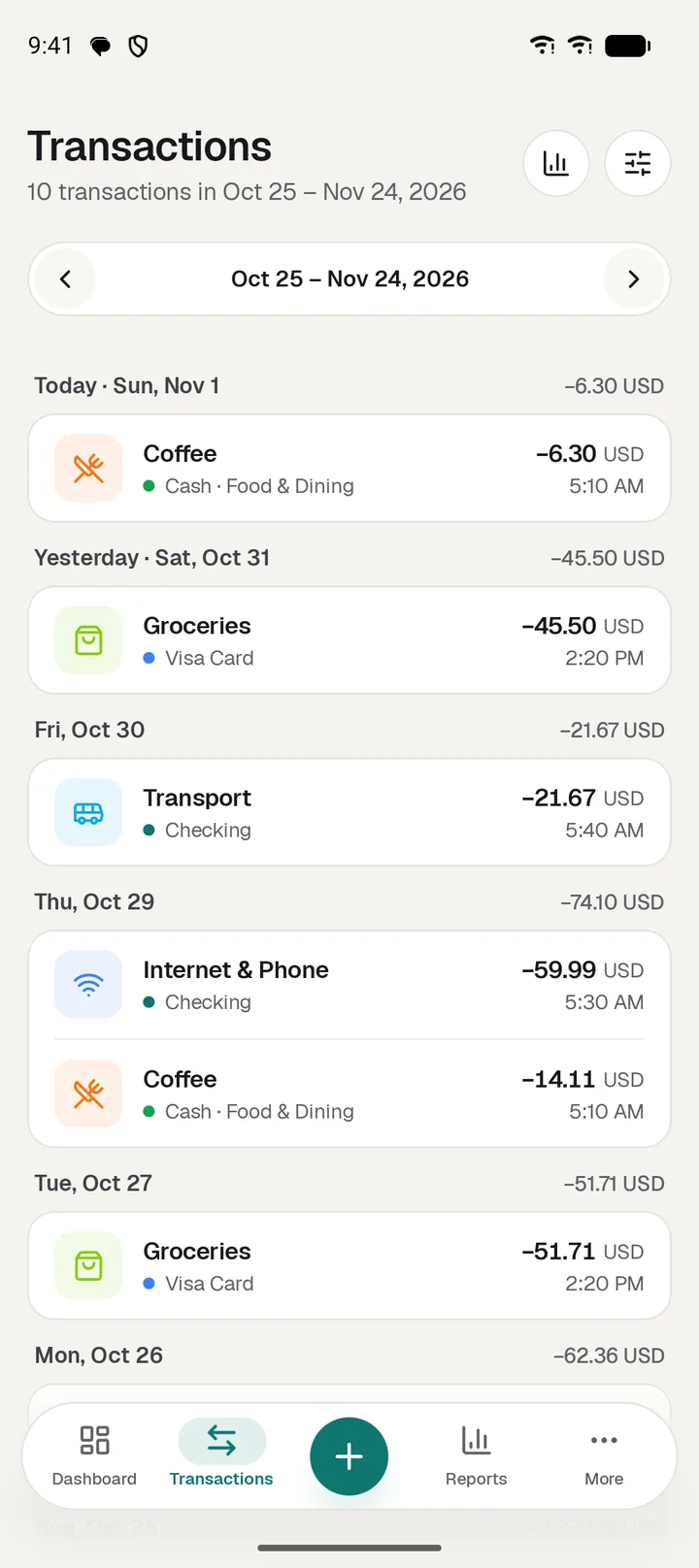
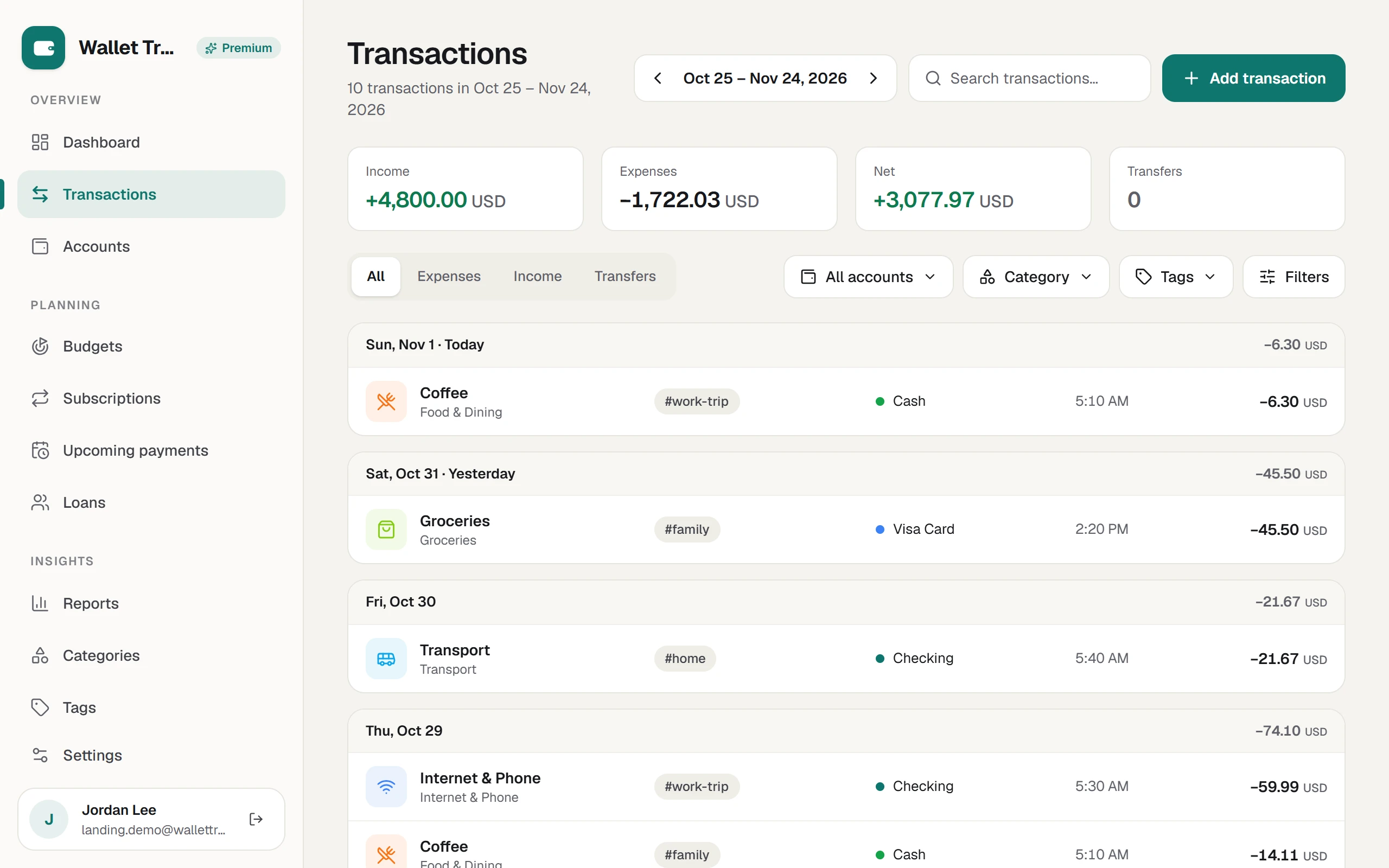
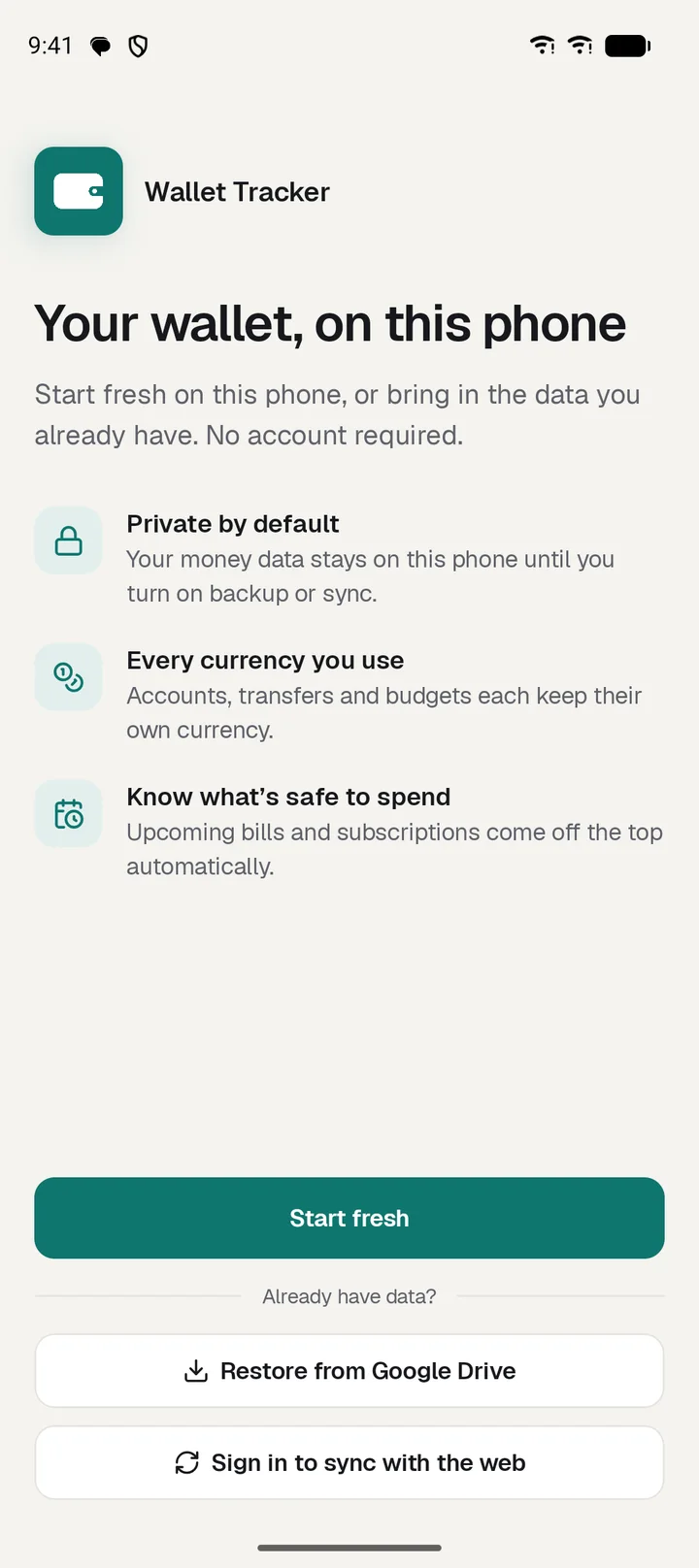
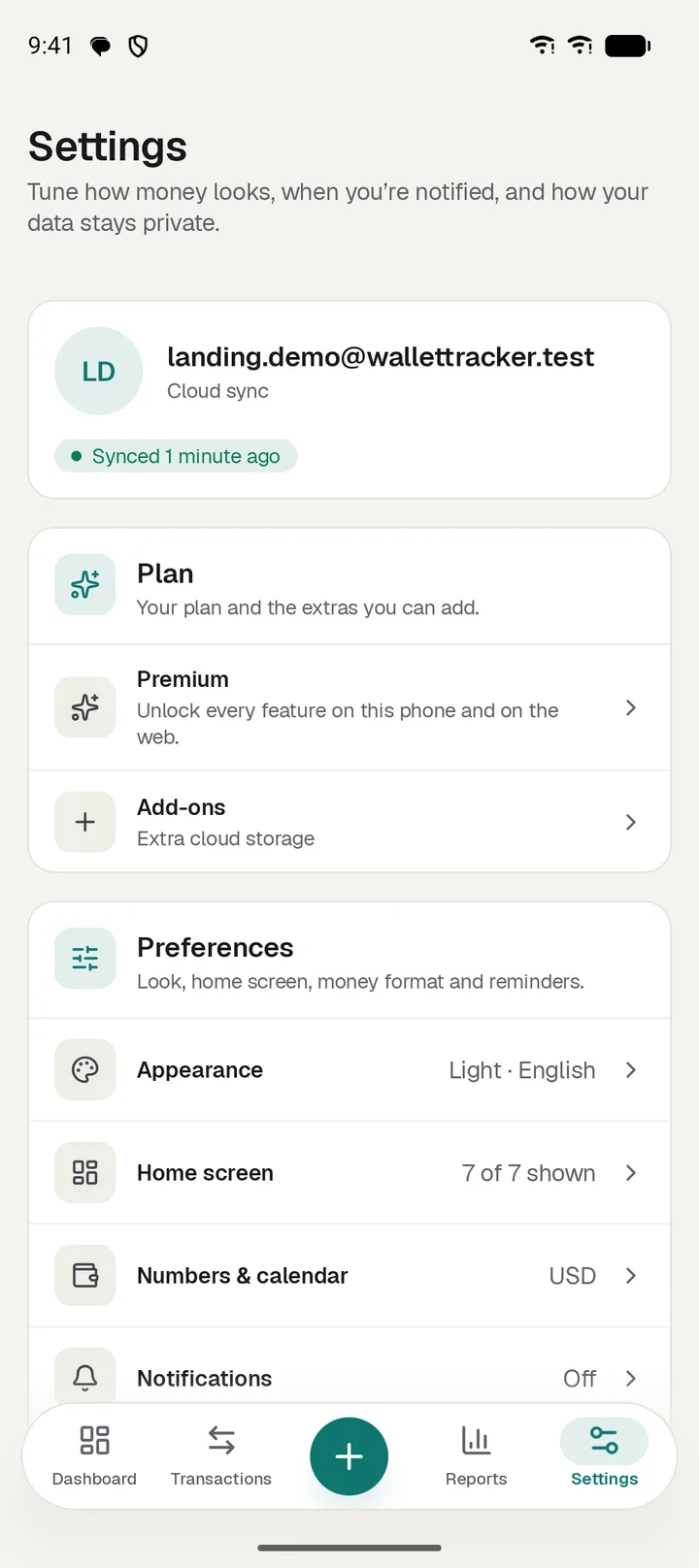
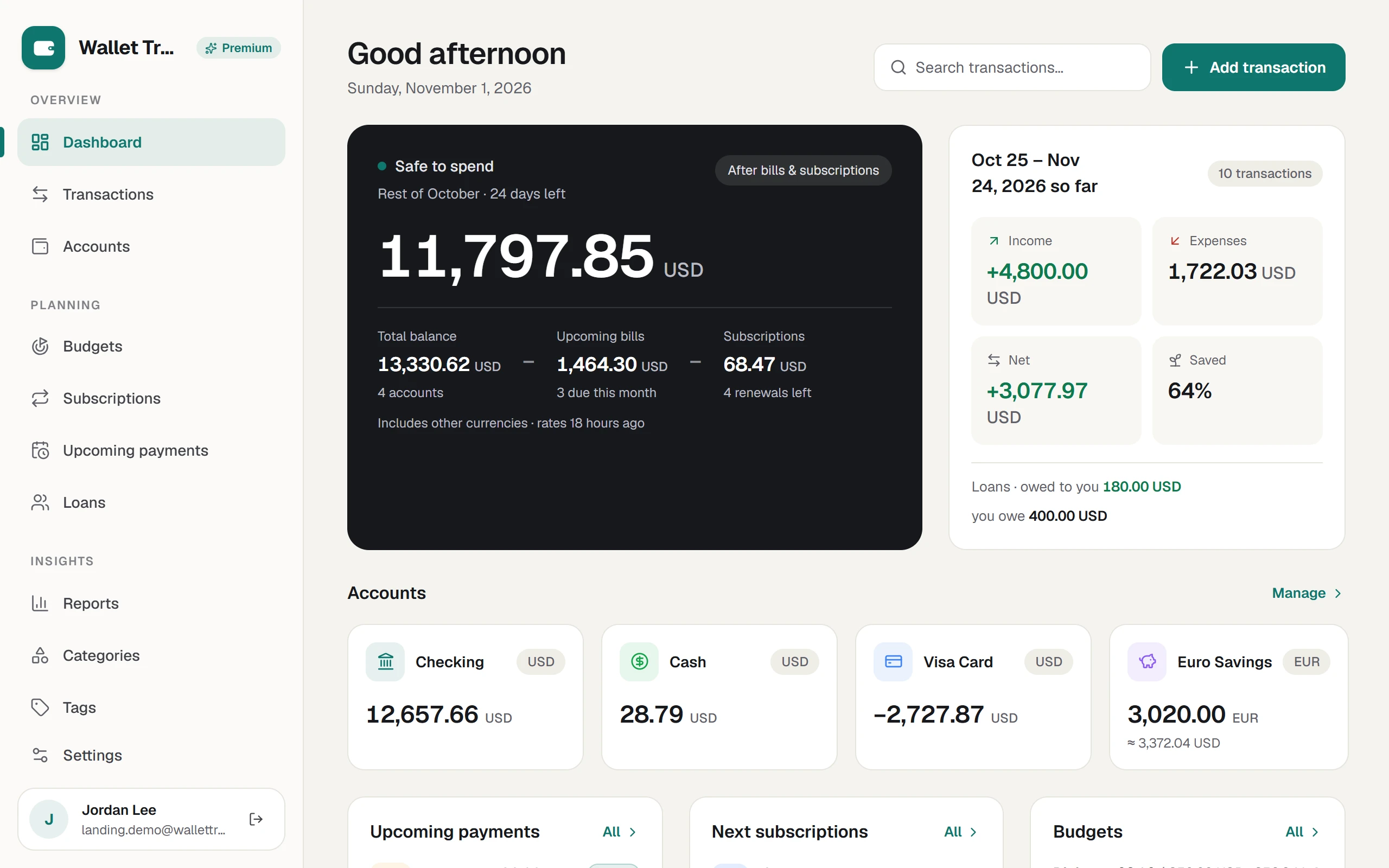
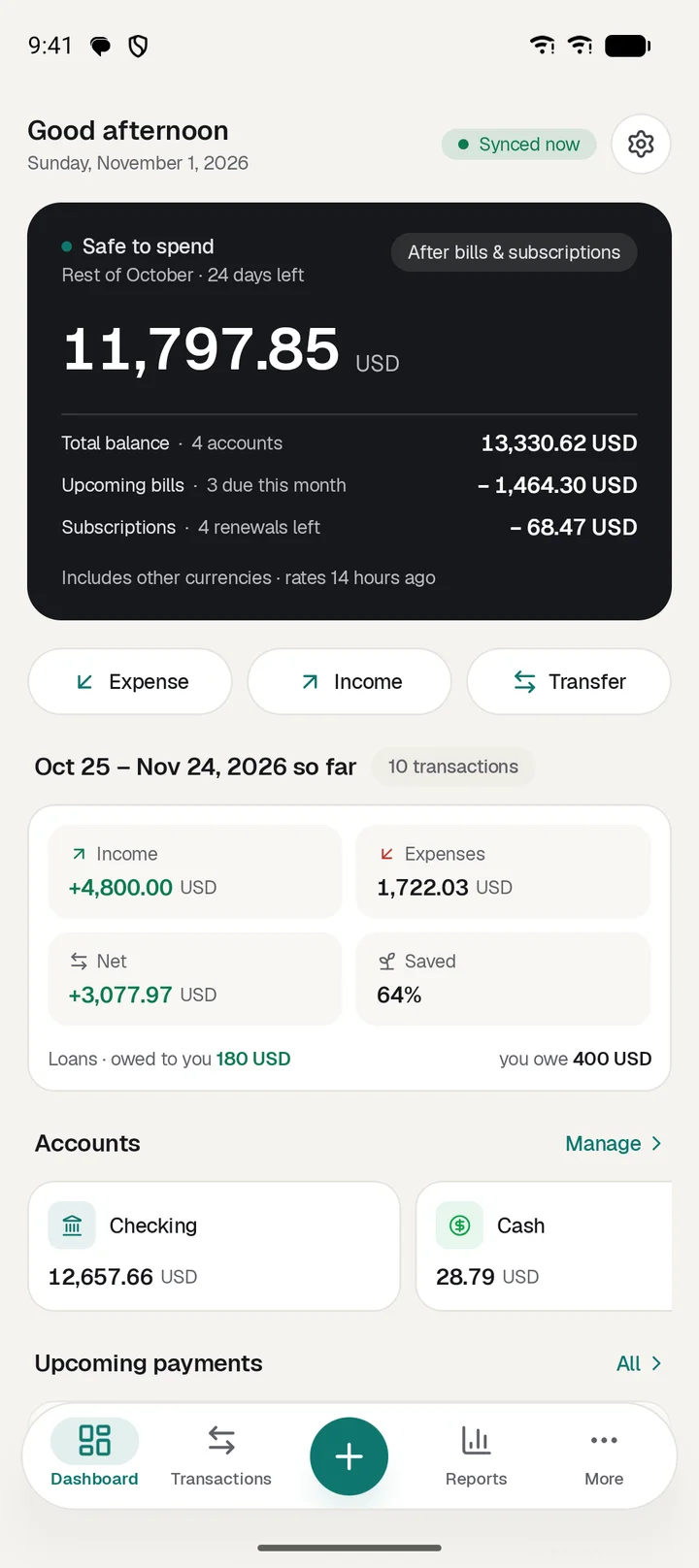
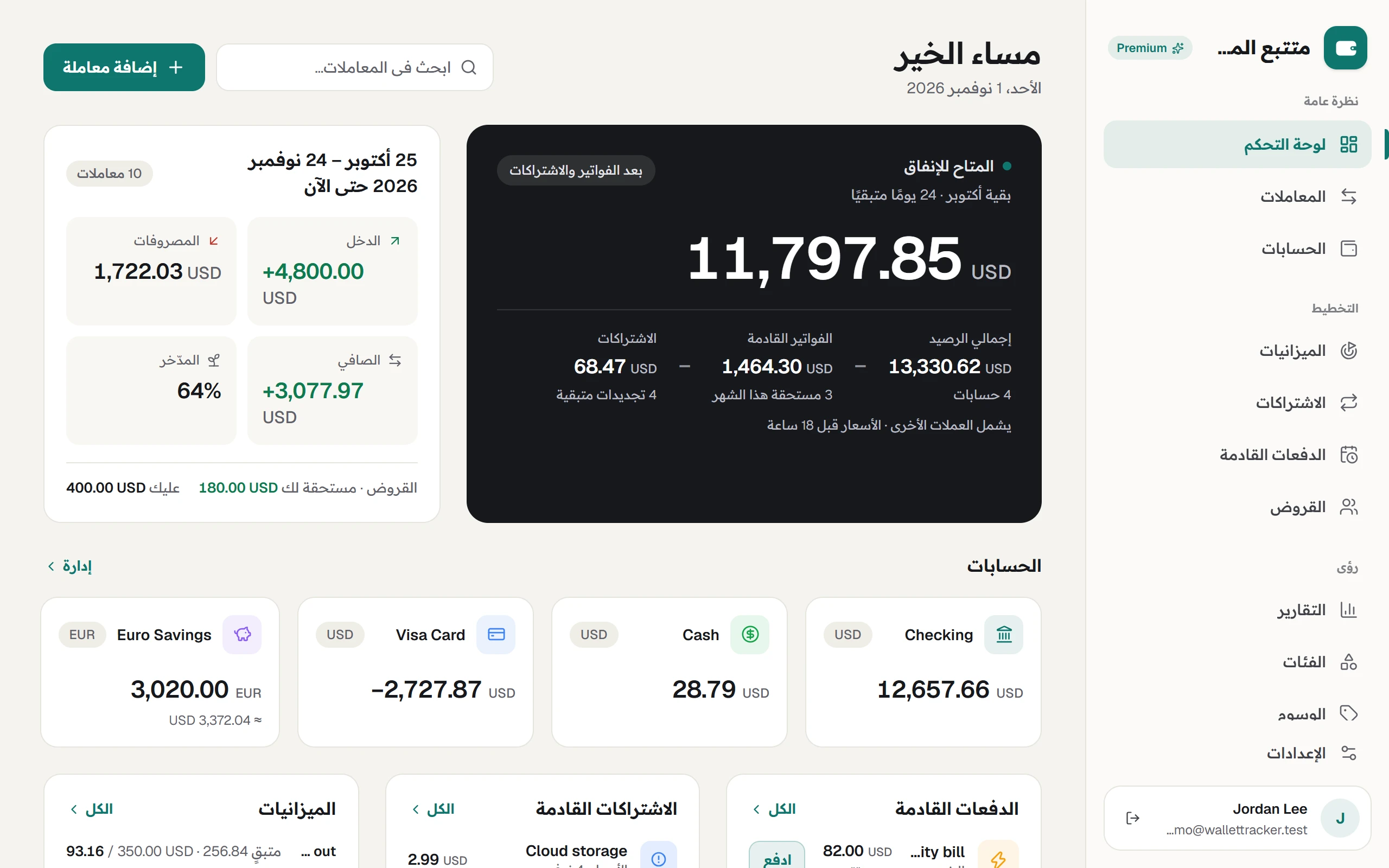
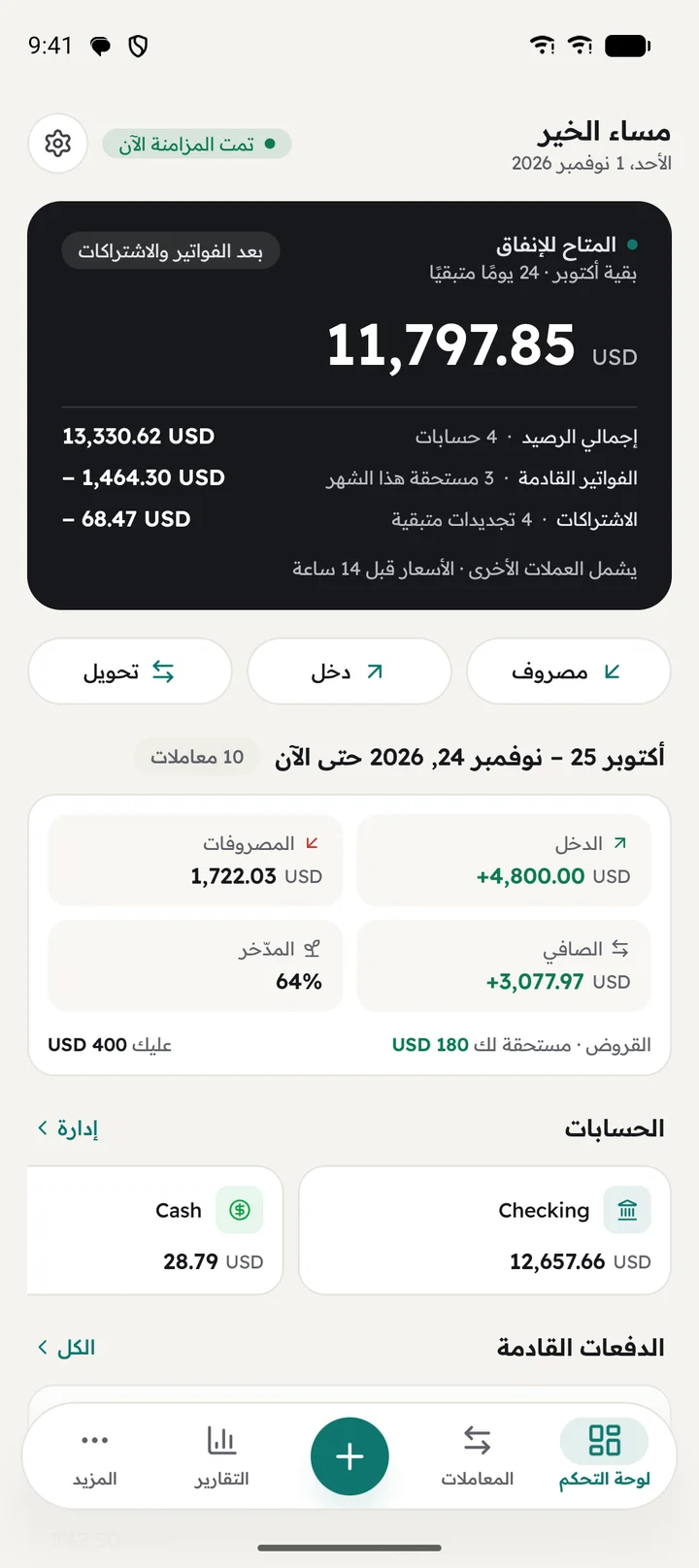
The Android app and the web app share the same wallet. Each is shaped for its job: quick capture in your hand, and a full workspace at your desk.
Everything syncs
Accounts, transactions, budgets, bills, subscriptions and loans, both ways, whenever you are signed in.
Offline first
No signal? Keep logging. Changes wait on your phone and sync when you are back online.
One account, one plan
Premium bought in the Android app unlocks the web too when you sign in with the same account.
Everything it does, on the screens that do it.
Works on Android and the web, on the Free plan, unless it says otherwise.
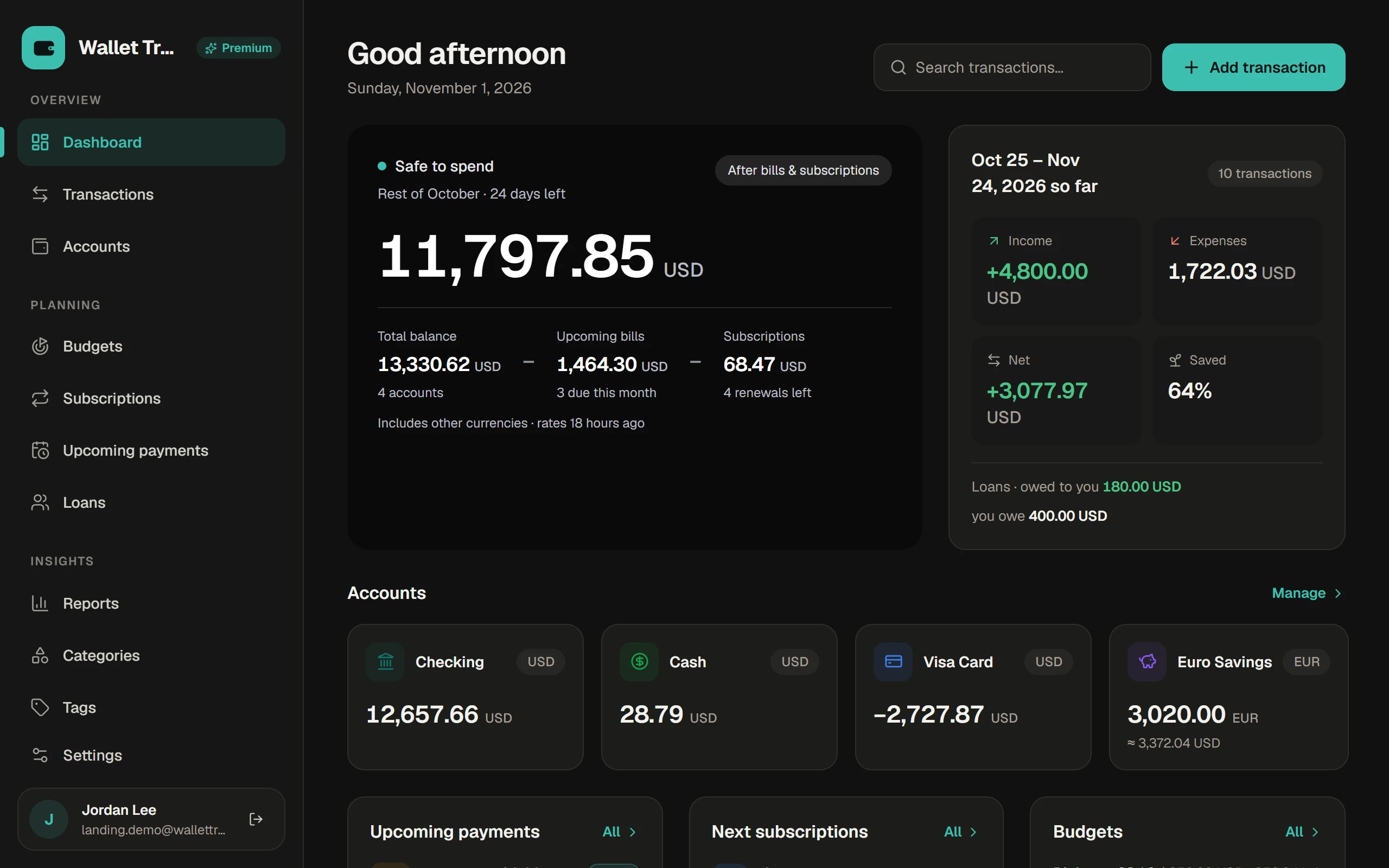
Home
Open the app and see what you can spend.
Safe to spend
Your balance minus this cycle's bills and subscriptions. Or lead with your total balance instead.
This cycle so far
Income, expenses, net and how much you saved, plus what you owe and are owed.
Everything due next
Bills, renewals and budgets on one screen, with Pay one tap away.
A home screen you arrangeAndroid only
Hide or reorder the seven Home cards.
Logging transactions
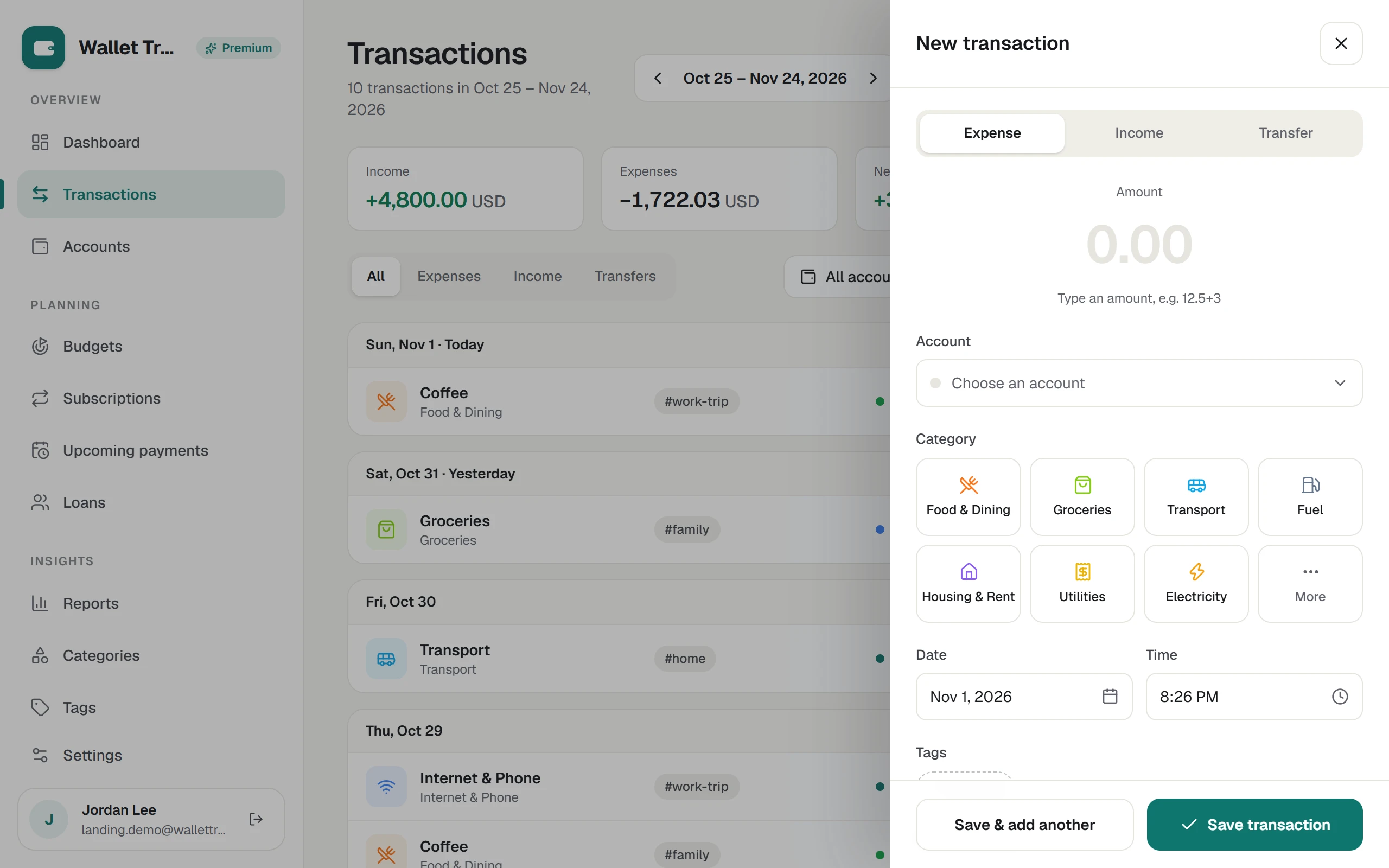
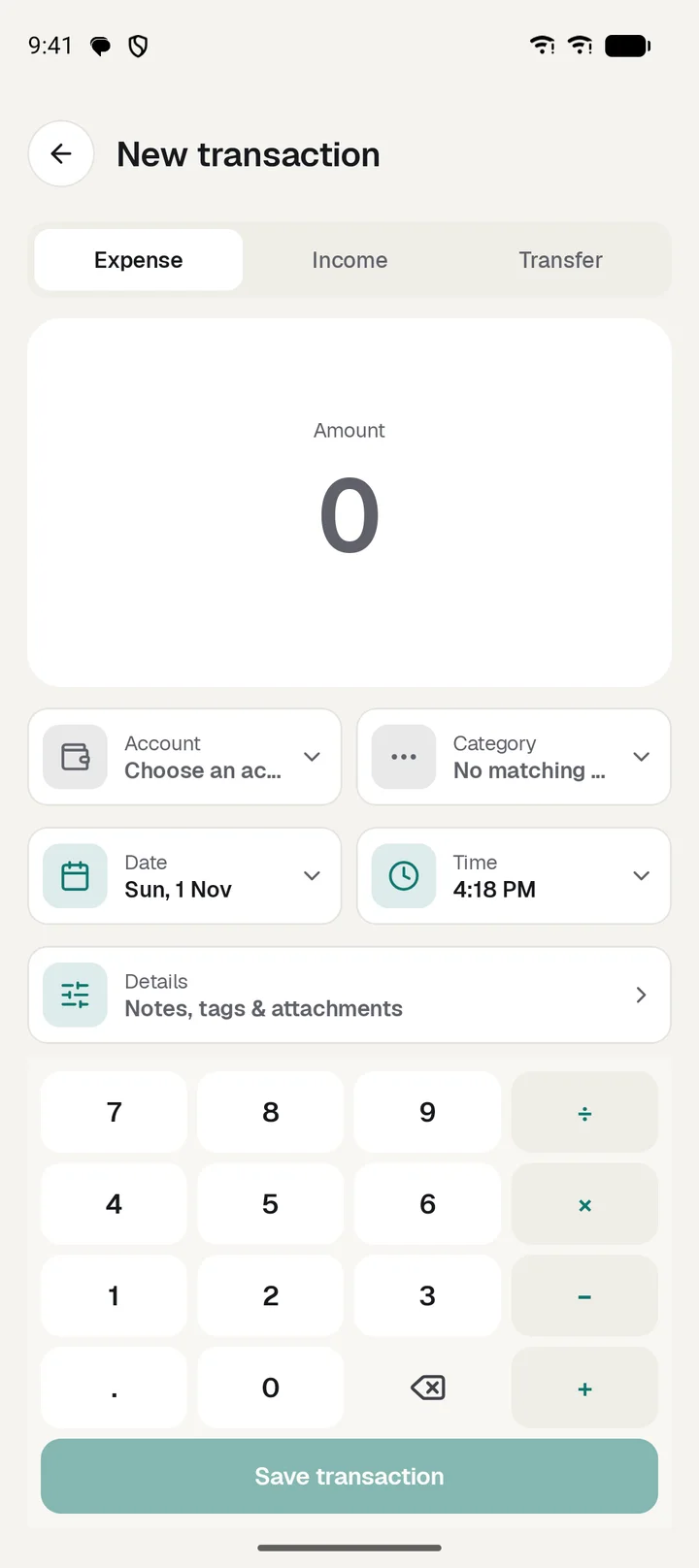
Starts with the amount and takes a few seconds.
Calculator keypad
Type 40+12.5 at the till. The keypad does the sum.
One-tap category tiles
Your most-used categories, ready to tap.
Income, expense, transfer
One sheet for all three, with save and add another for a run of entries.
ReceiptsPremium
Attach photos and PDFs, compressed before upload.
Find anything
Search, then filter by type, account, category or tag.
New transaction shortcutWeb only
Press N to start one.
Adjust balance
Correct an account without it counting as spending or income.
SMS importAndroid only
Reads bank messages on your phone and suggests transactions to review. Messages never leave the phone.
Accounts and currencies
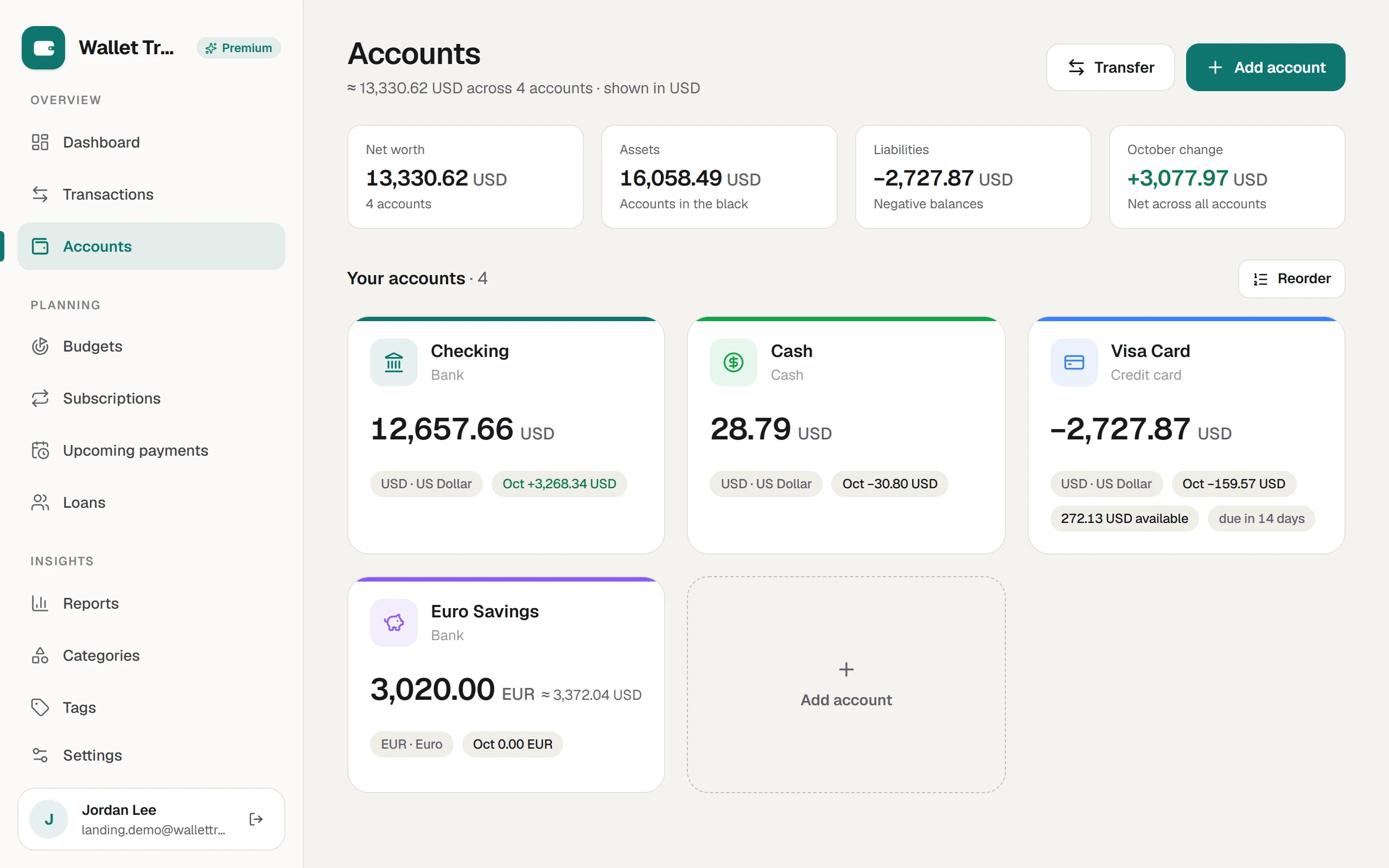
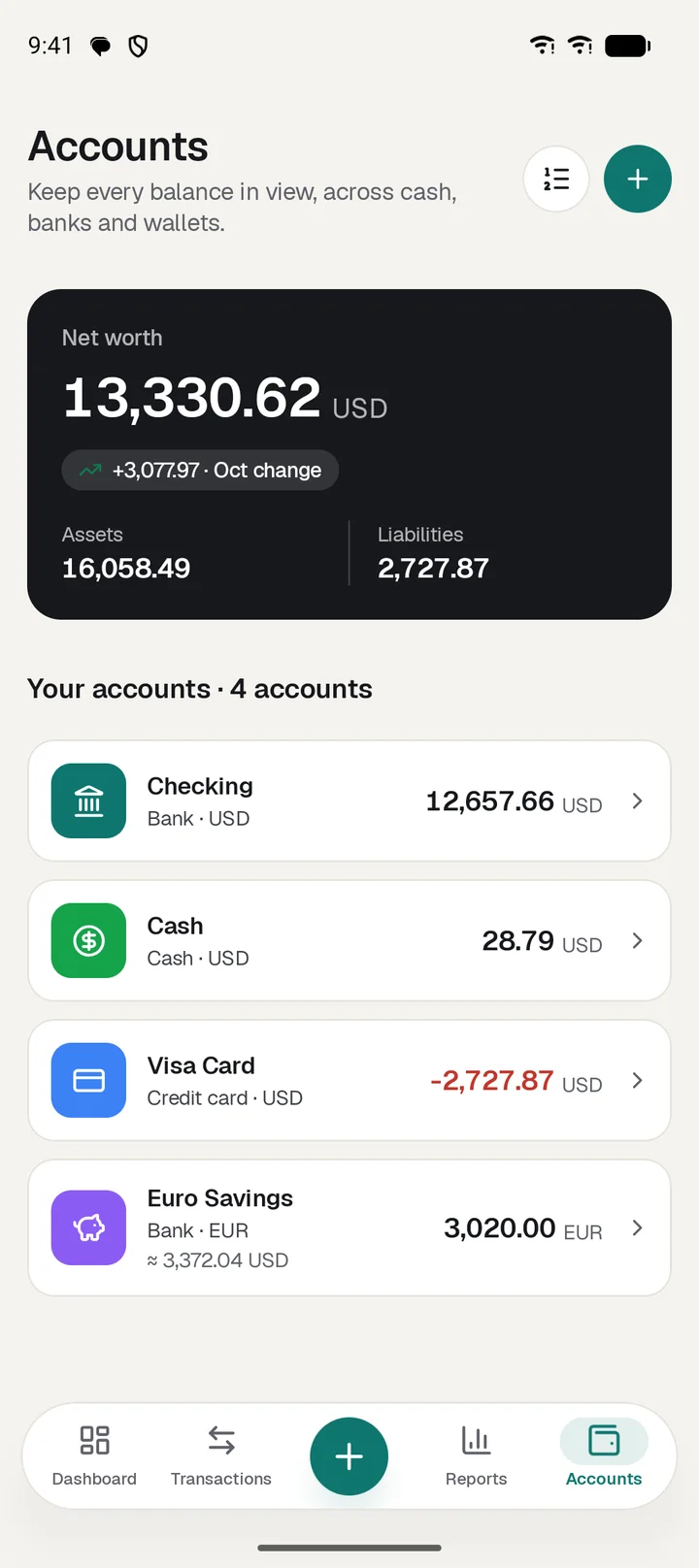
Every account keeps its own currency and color.
Four account types
Cash, bank, credit card and digital wallet.
Credit card details
Credit limit, statement day and payment due day.
Any currency
Hold pounds, dollars and euros side by side, with one total in your default currency.
Transfers at your real rate
The rate is saved with the transfer, so old history never drifts.
Daily and custom rates
Reference rates refresh daily. Your own rate for a pair always wins.
Archive or delete
When you delete, keep the transactions or remove them. You choose.
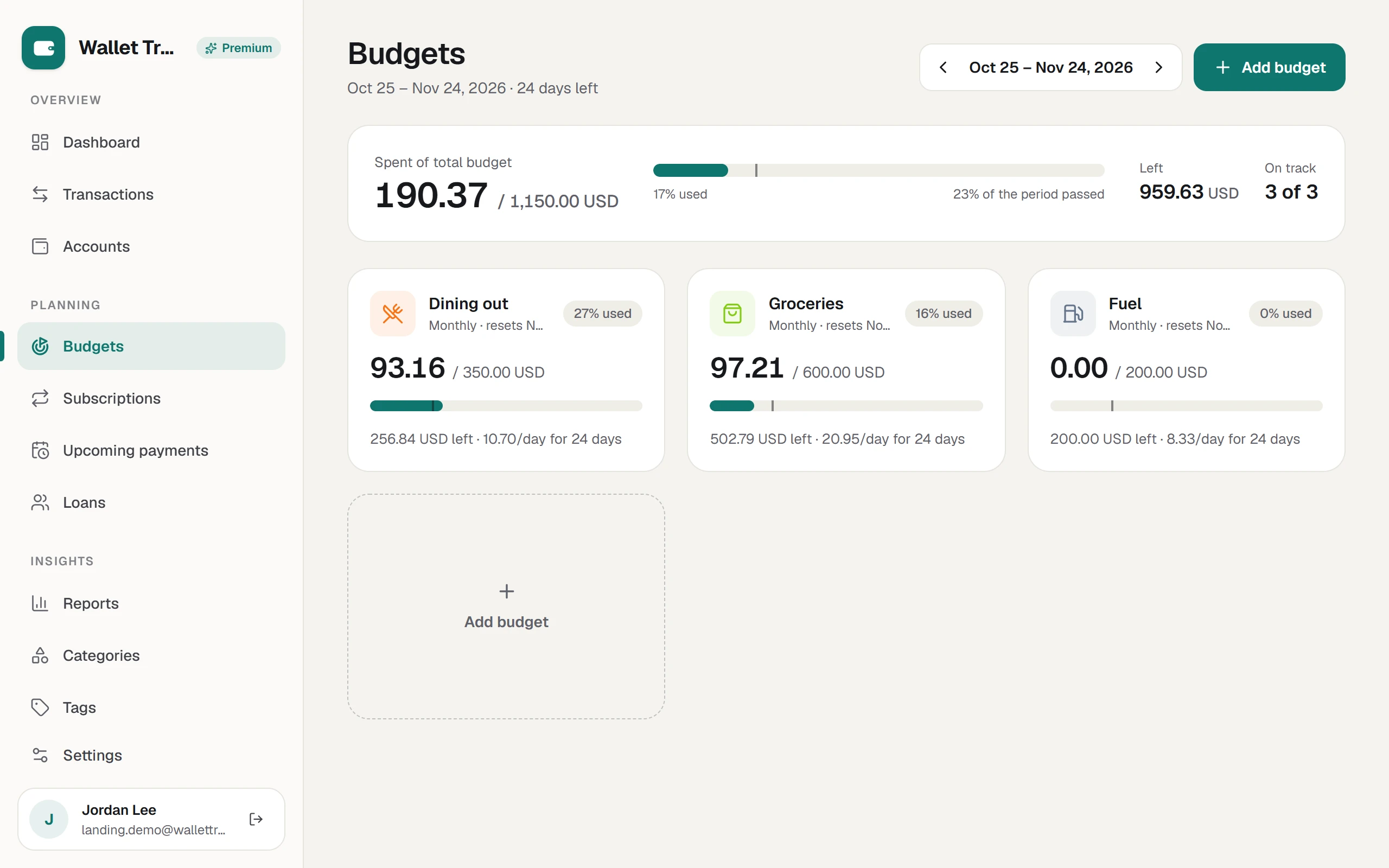
Budgets
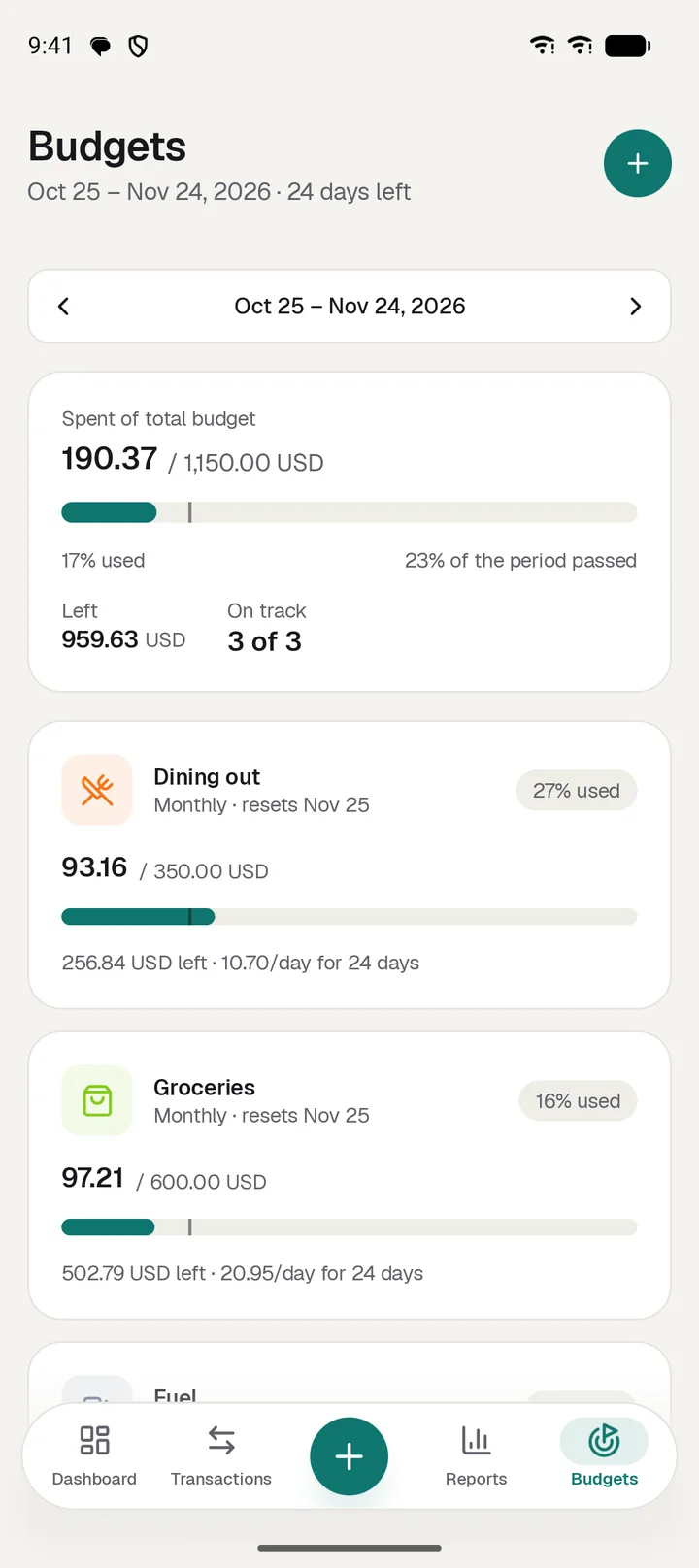
A number for today, not only a limit for the month.
By categories, tags or overall
Budget several categories, several tags, the two together, or everything you spend.
Your period
Weekly, monthly, yearly or a custom window.
Daily allowance
Days left and what you can spend per day.
On track or not
A today marker on every bar, and a view of past periods.
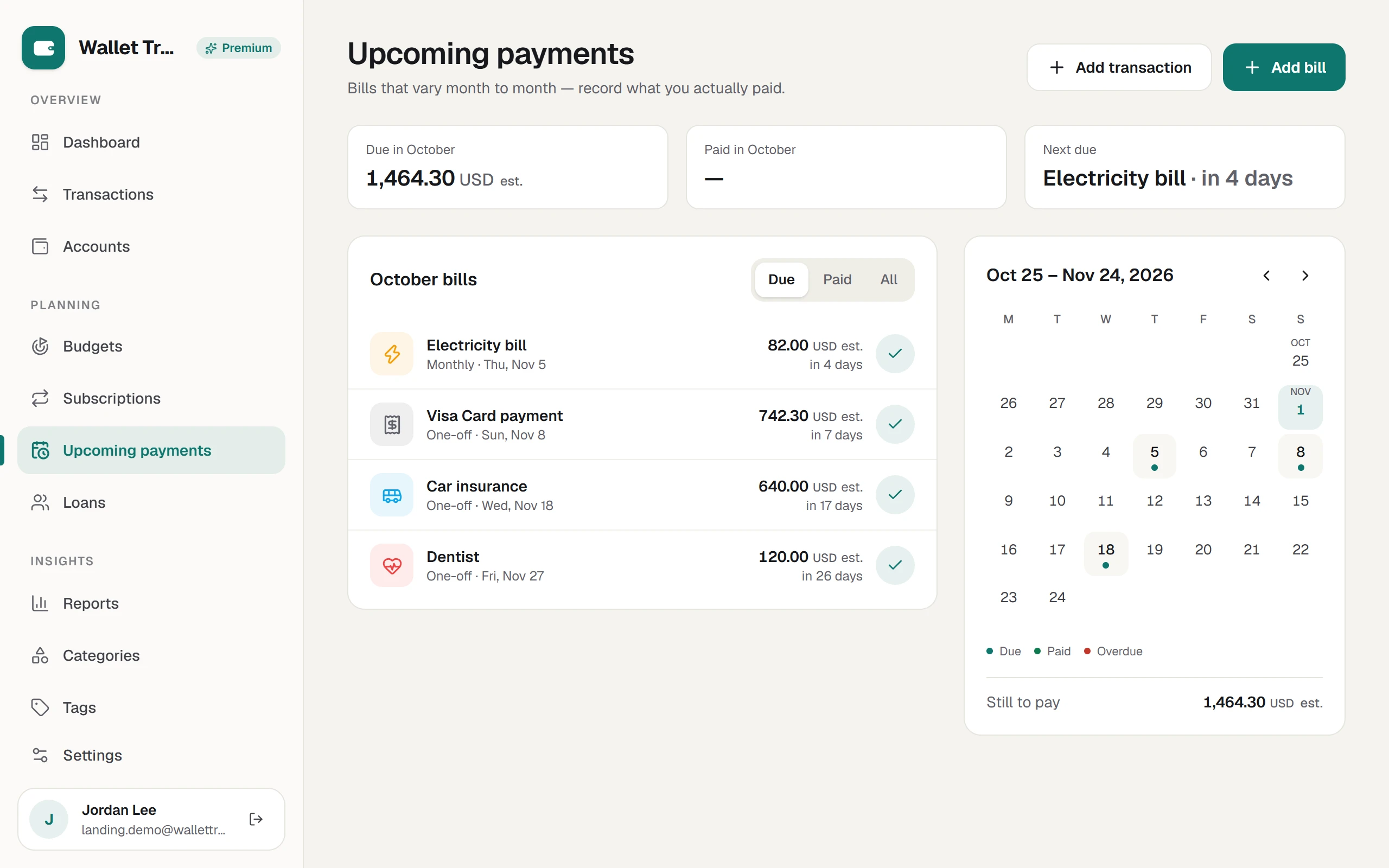
BillsPremium
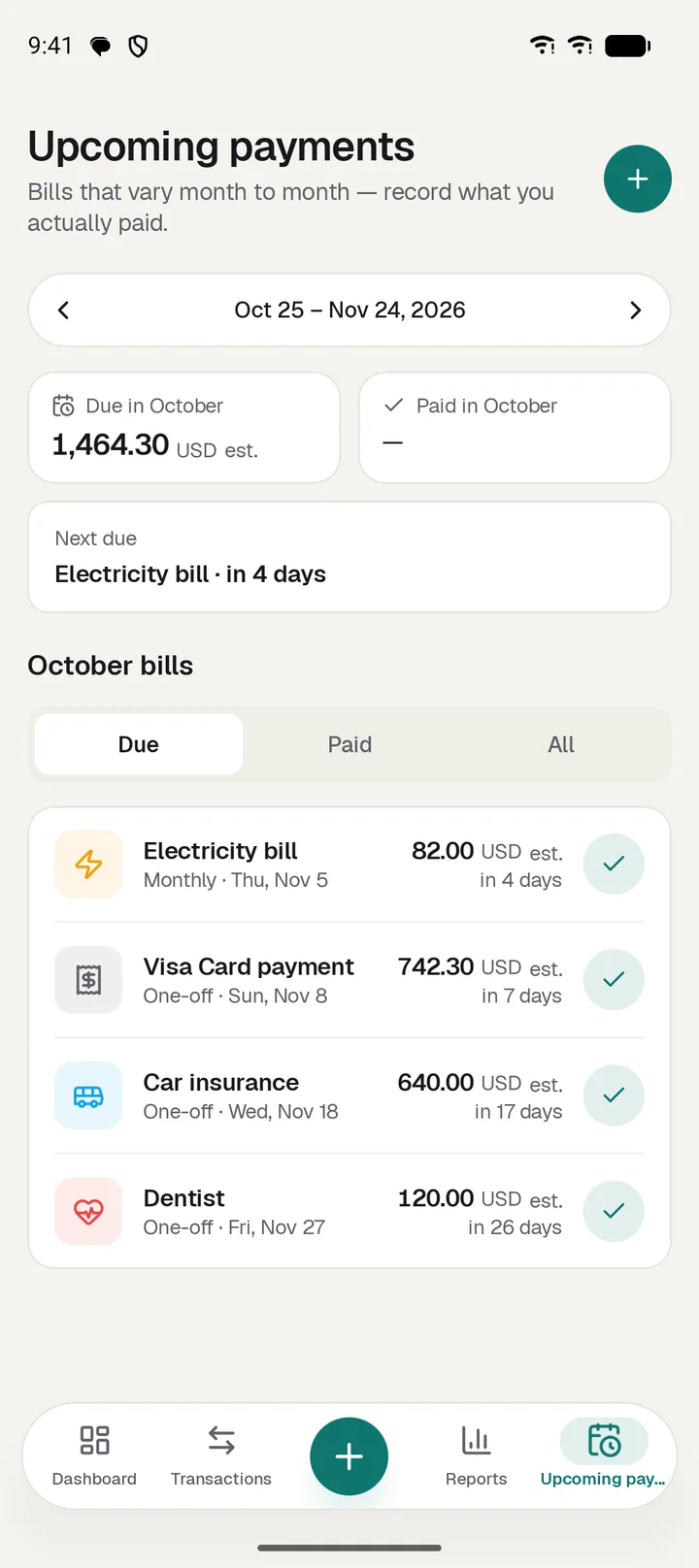
Know what is coming and record what it really cost.
Estimate against actual
A bill holds its estimate until you pay, then keeps the real amount.
Recurring and installments
Repeat until stopped, for a set number of payments, or until an end date.
Pay and log in one step
Record the payment, add it as an expense and carry the amount forward.
Stop repeating
End a series now or after this payment. Paid history stays untouched.
Due calendarWeb only
What is due, paid and overdue this cycle.
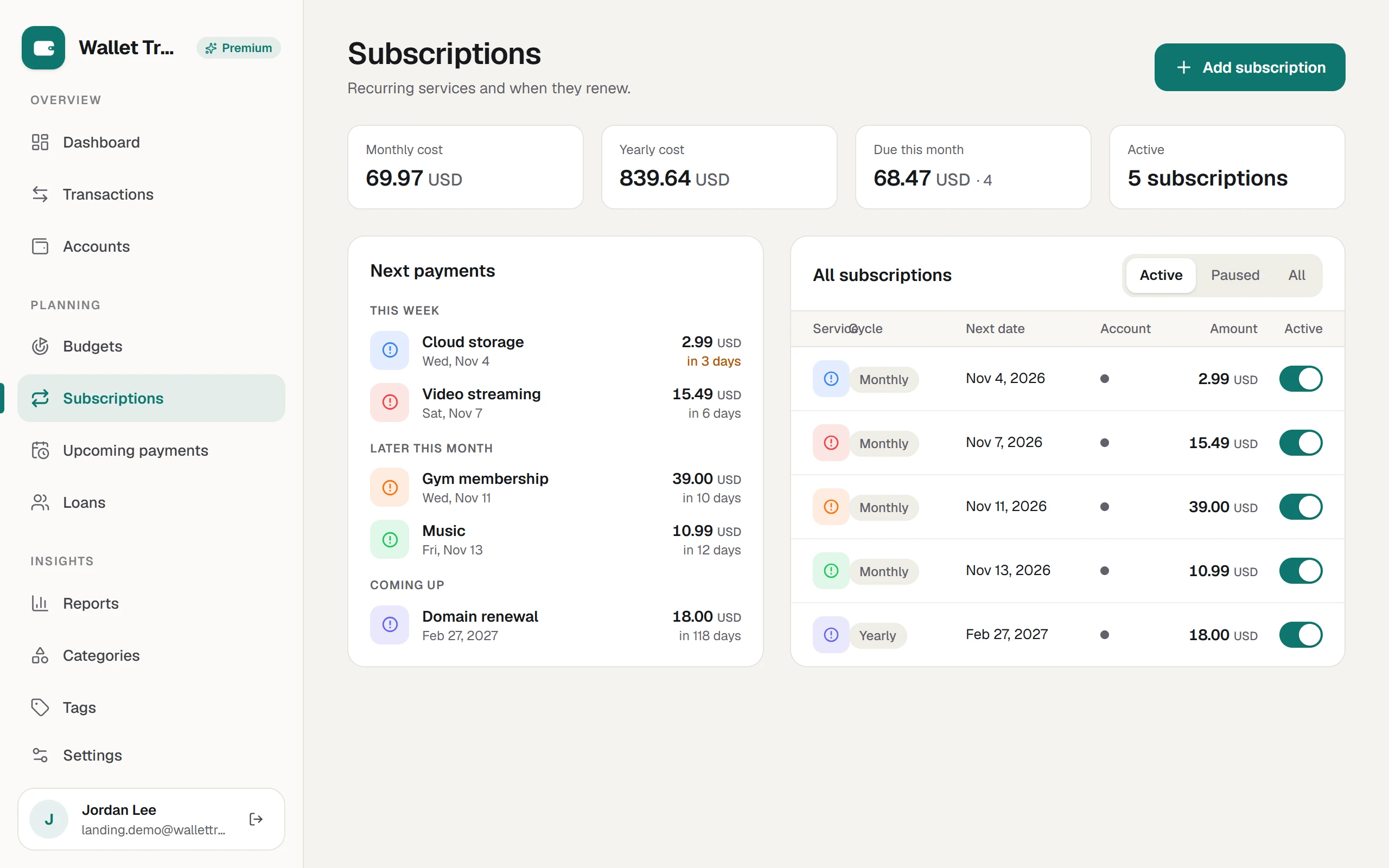
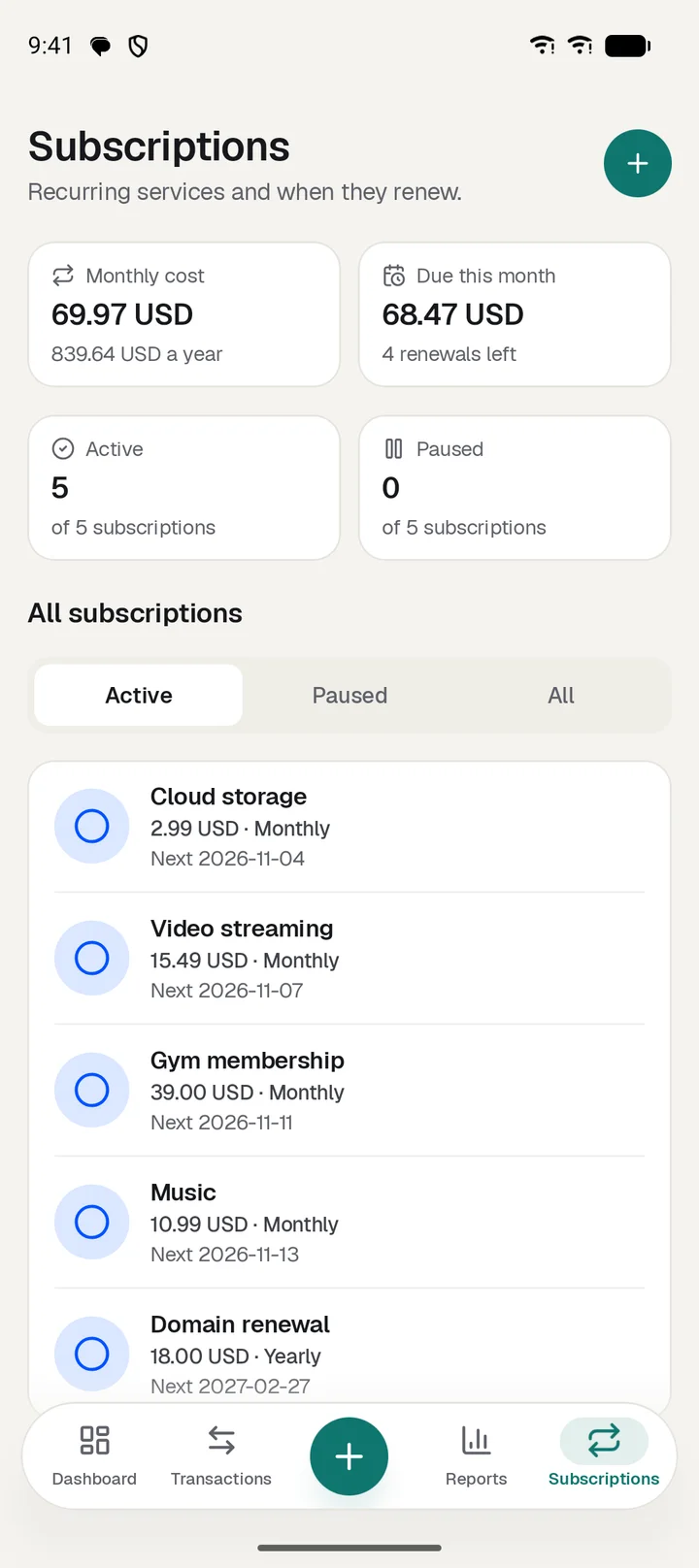
SubscriptionsPremium
See what each one really costs over a year.
Renewal history
Every charge is logged, including when the price changes.
Any billing cycle
Weekly, monthly, quarterly or yearly, with monthly and yearly totals.
Pause without losing it
Turn one off and keep its history.
Recognizable icons
More than 300 service icons, or any emoji with a color you pick.
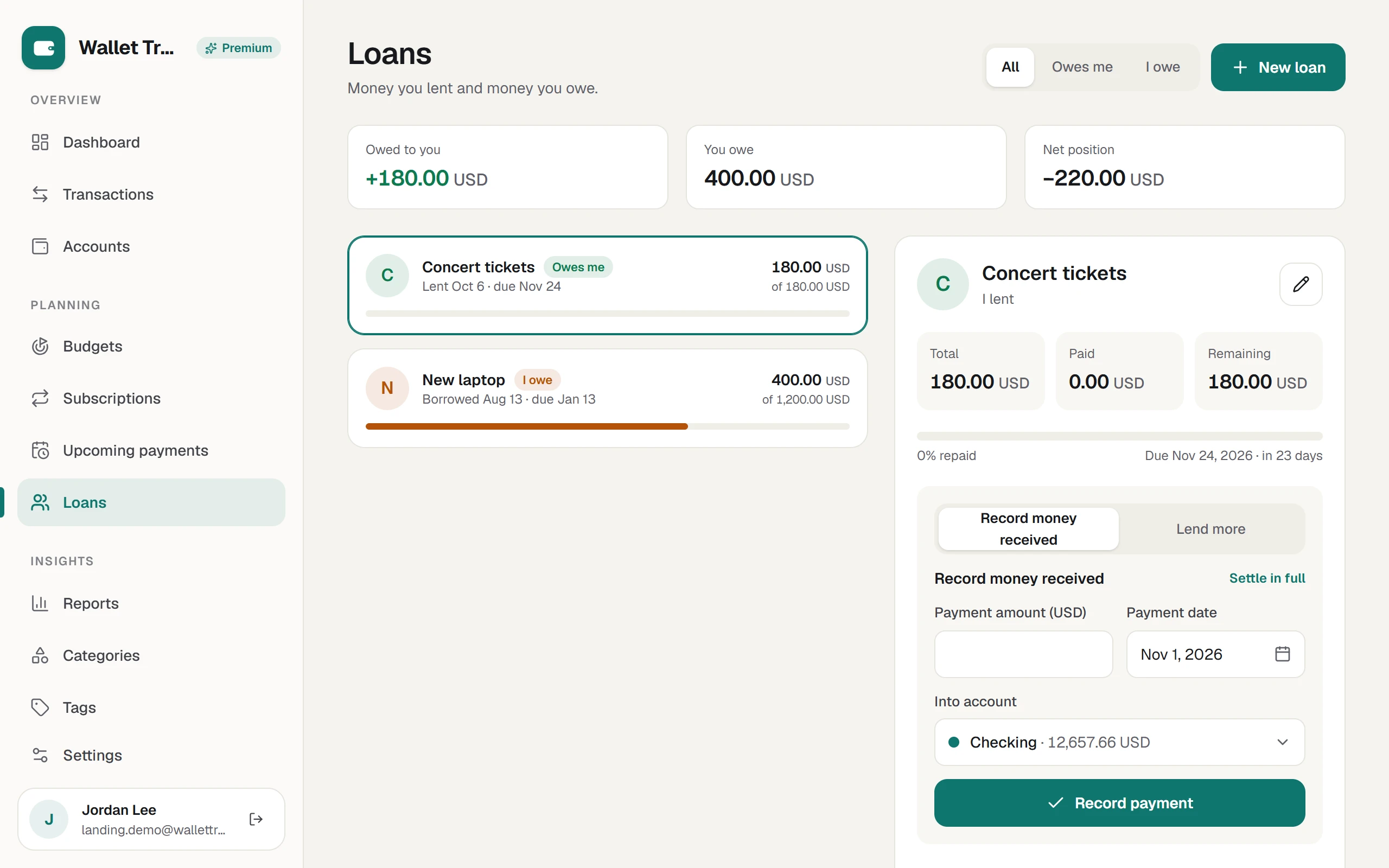
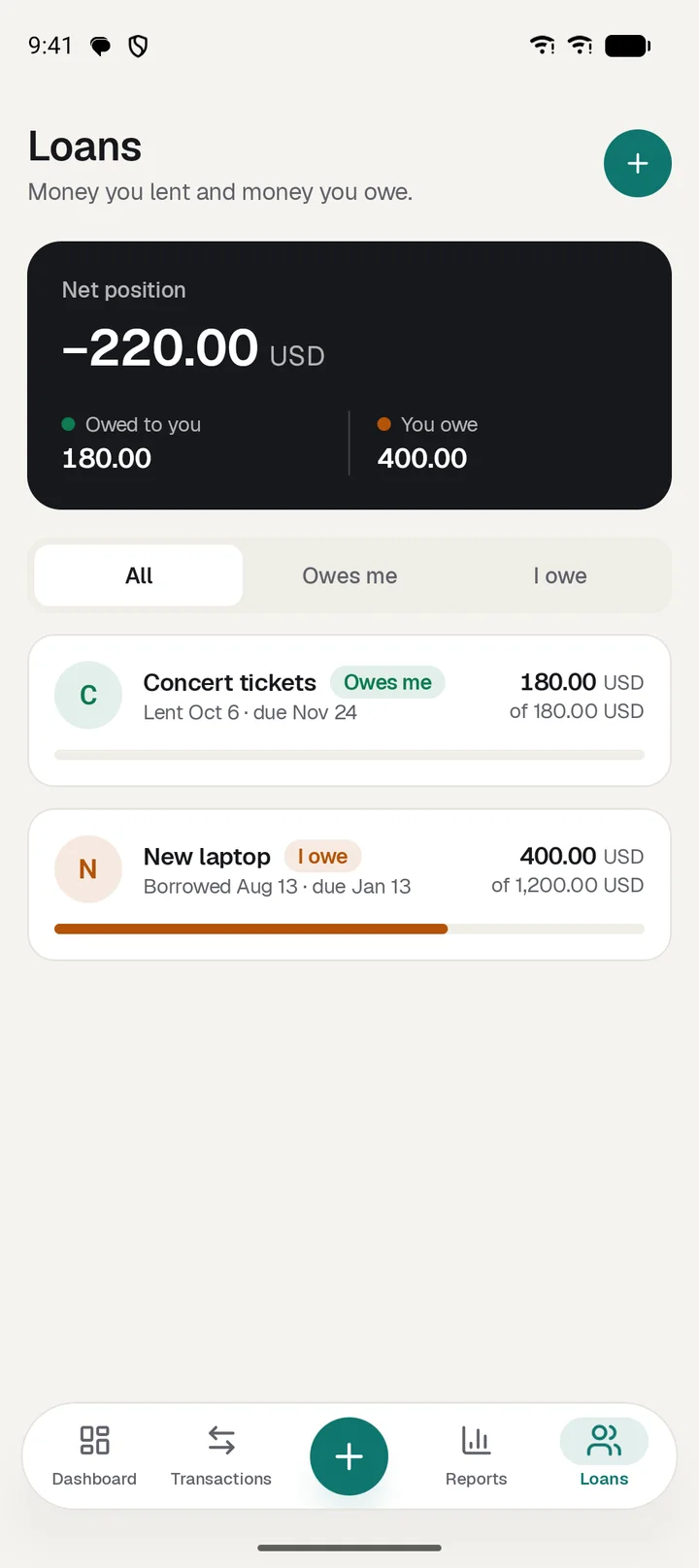
LoansPremium
Money you lent and money you owe, kept straight.
Both directions
Borrowed and lent, with one net position.
Repayments and additions
Log each payment, or add more to the same loan.
Running balance
Every loan shows what is left, with an optional due date.
Linked to your accounts
The money can move through a real account, so balances stay right.
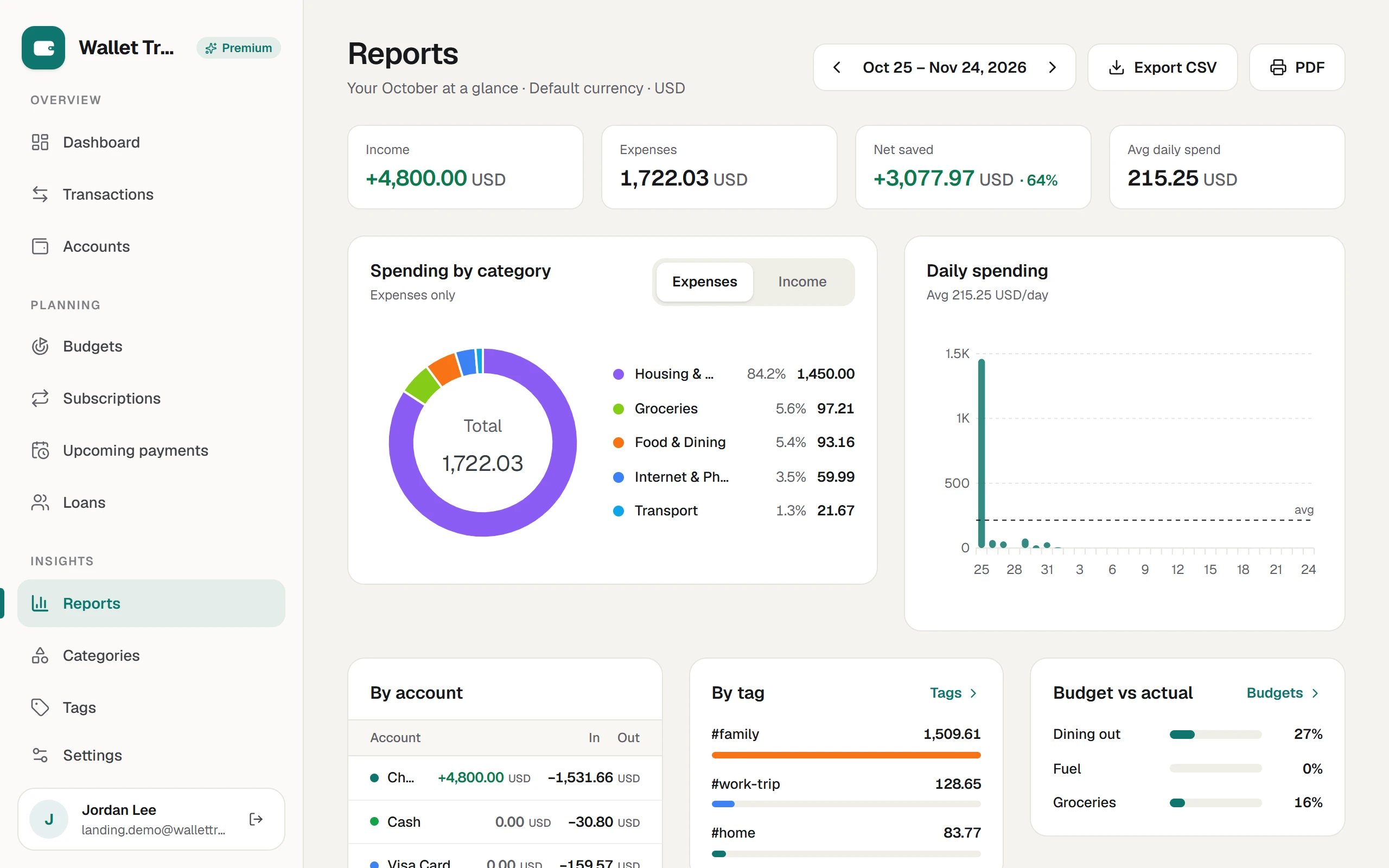
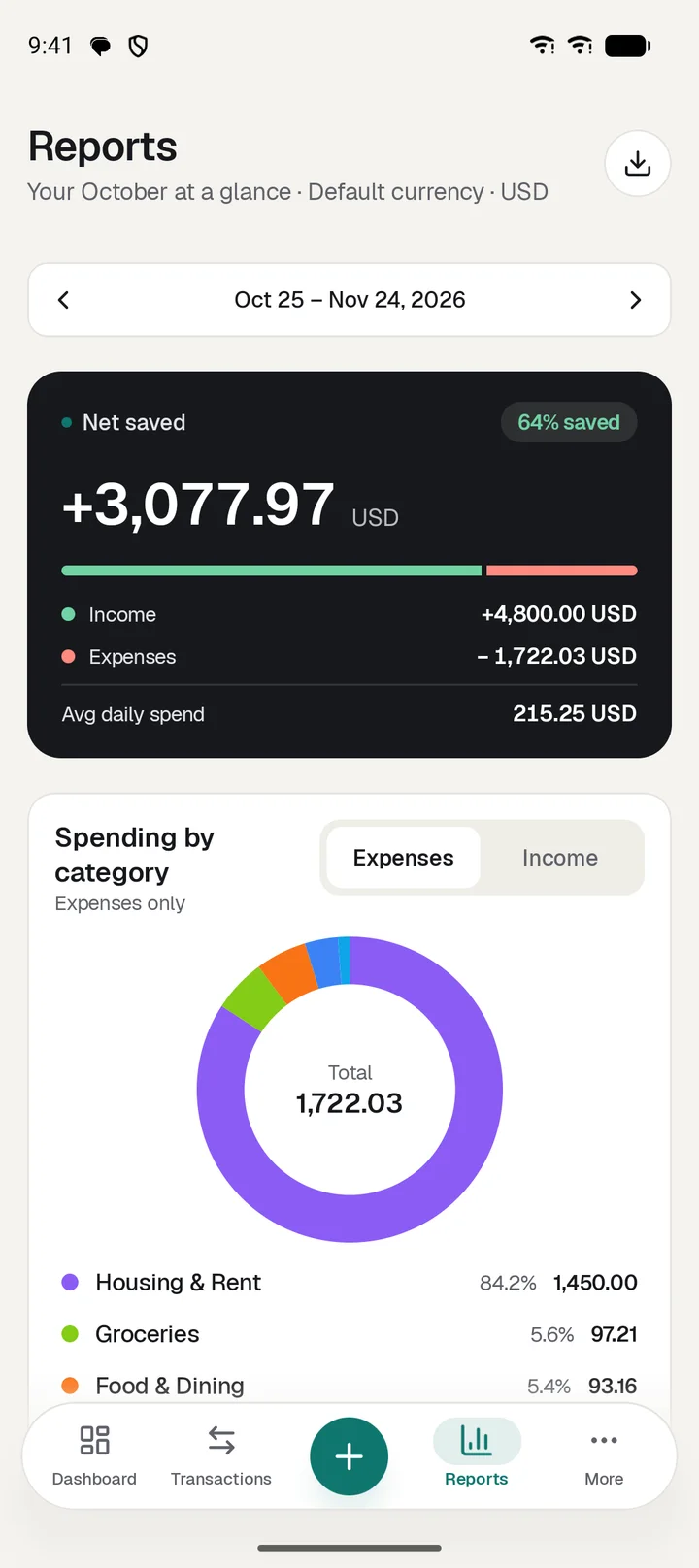
Reports
The whole cycle on one screen, then take it with you.
Headline figures
Income, expenses, net saved and average daily spend.
Category breakdown
A donut for spending and for income, with shares and totals.
Daily spending
Each day against your average.
By account, tag and budget
In and out per account, top tags, and budget against actual.
Balance trend
How your overall balance moved.
CSV and PDF
Export any period or print a clean report.
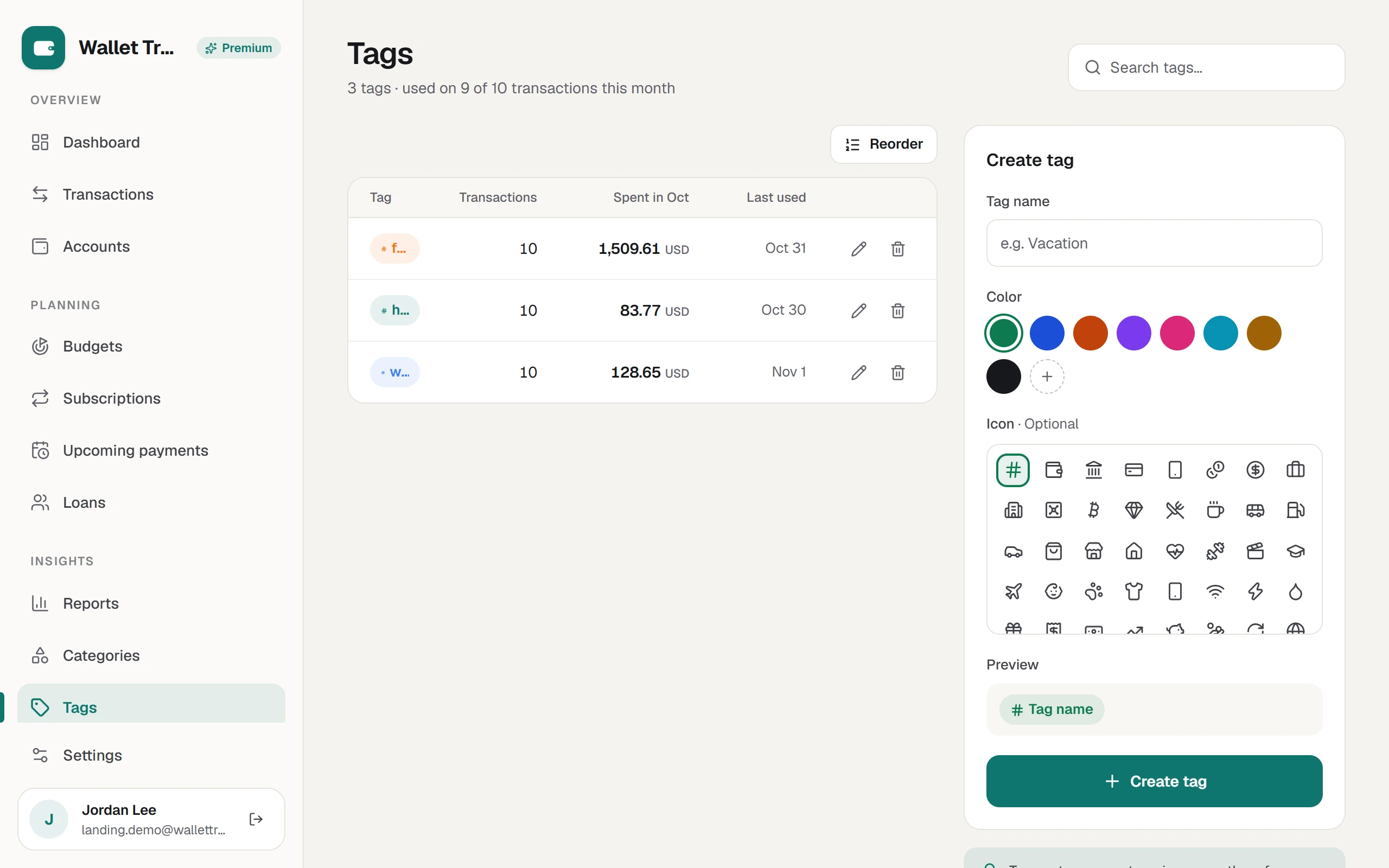
Categories and tags
Your own words for your own money.
Categories
Starter sets for income and expenses. Add, rename, recolor and archive your own.
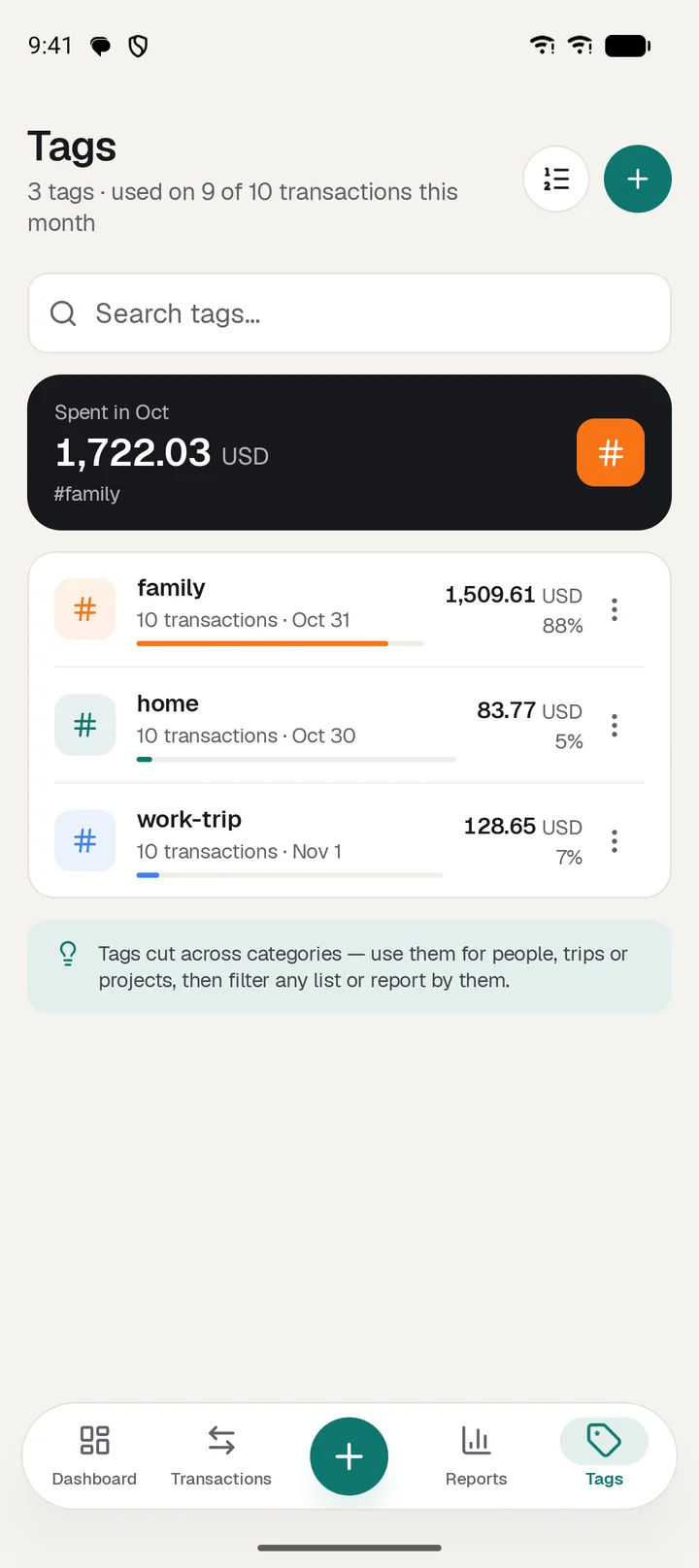
Tags across categories
Tag a trip or a person and see what it cost, whatever the category.
Colors and icons
Pick both for each one, and reorder them your way.
Sync, offline and backup
One wallet on every screen, or on one phone only.
Two-way sync
Accounts, transactions, budgets, bills, subscriptions and loans.
Works offline
Keep logging with no signal. Changes sync when you reconnect.
Conflict reviewAndroid only
Edited in two places? Review it instead of losing a change.
Google Drive backupAndroid only
Saved in the app's private Drive folder, with a passphrase if you want encryption.
Install from the browserWeb only
Add the web app to your home screen or dock.
Daily and monthly summaries
Optional notifications that recap your spending.
Privacy and control
It is your data, so you decide what happens to it.
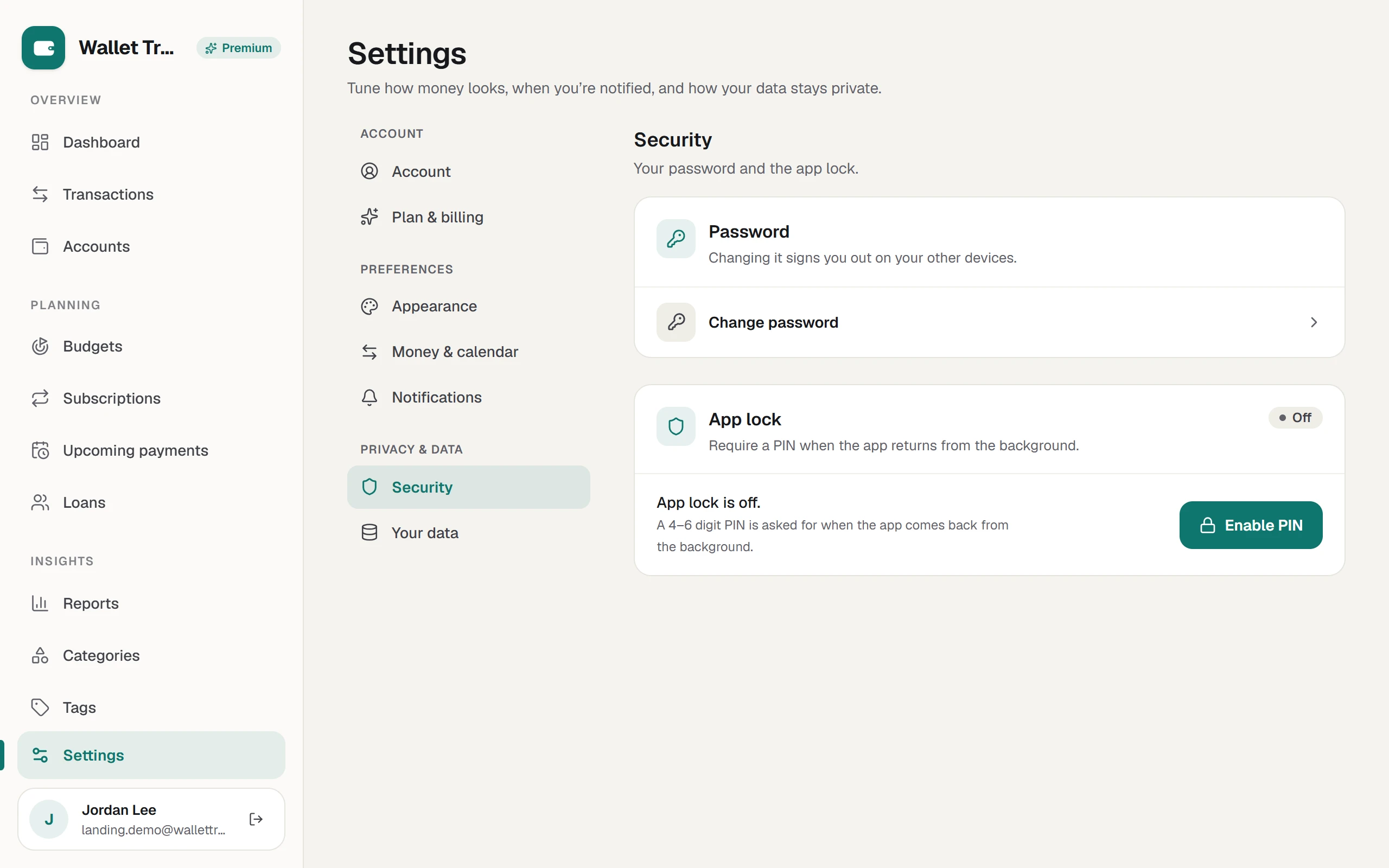
App lock
A 4 to 6 digit PIN when the app comes back from the background.
Biometric unlockAndroid only
Fingerprint or face instead of the PIN.
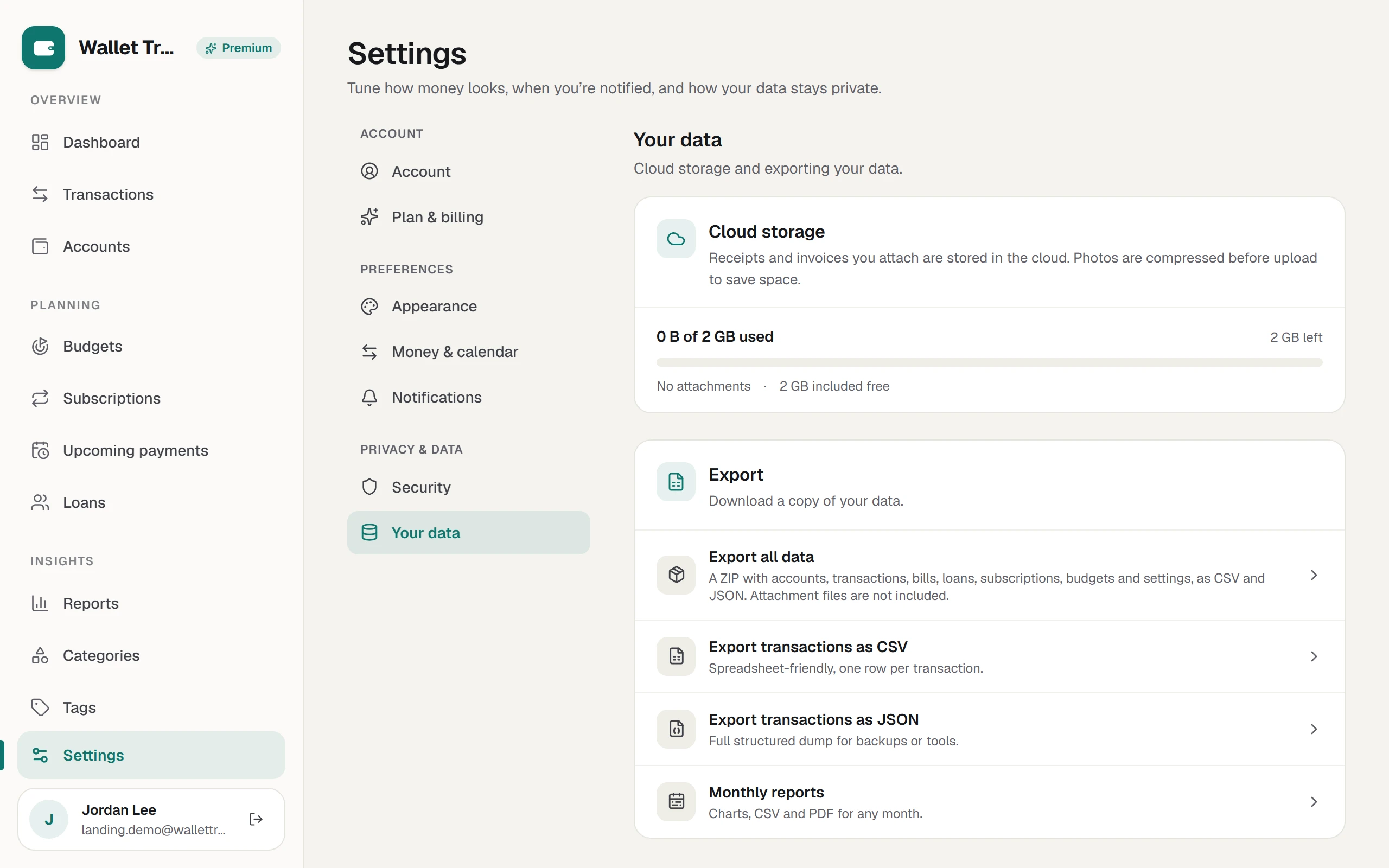
Export everything
One ZIP with every section as CSV and JSON.
Reset data
Wipe the wallet and keep your account.
Delete account
From the app, or from a public page if you can't sign in.
Set it up your way.
The options in the app, with their real choices.
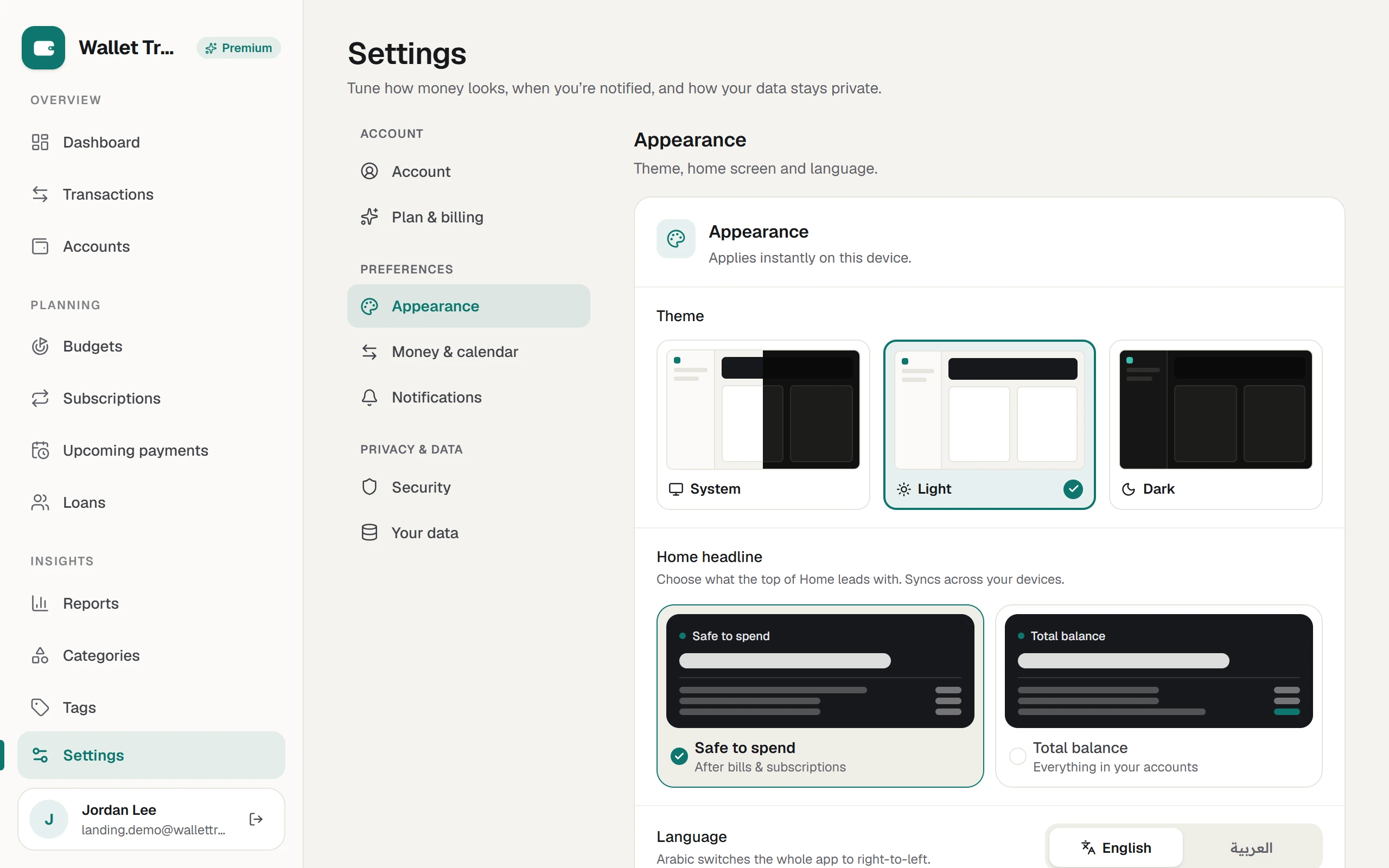
Appearance
Theme
System, Light or Dark
Home headline
Safe to spend or Total balance
Language
English or Arabic, with the whole app mirrored right to left
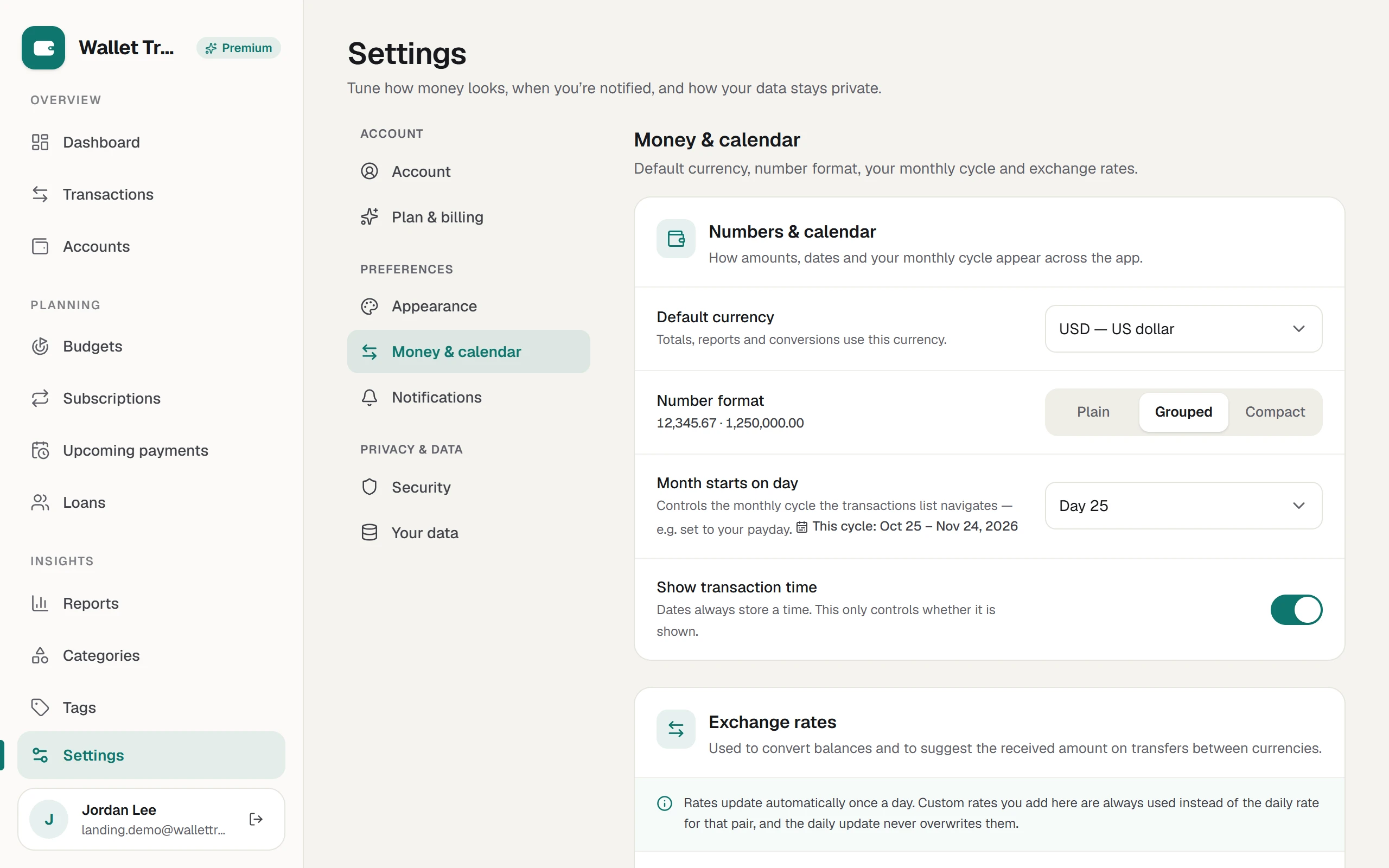
Money and calendar
Default currency
Used for totals, reports and conversions
Number format
Plain 10000, Grouped 10,000 or Compact 10K
Month starts on
Any day from 1 to 28, such as your payday
Transaction time
Show or hide it. The time is always saved
Exchange rates
Daily rates, plus your own custom rate per pair
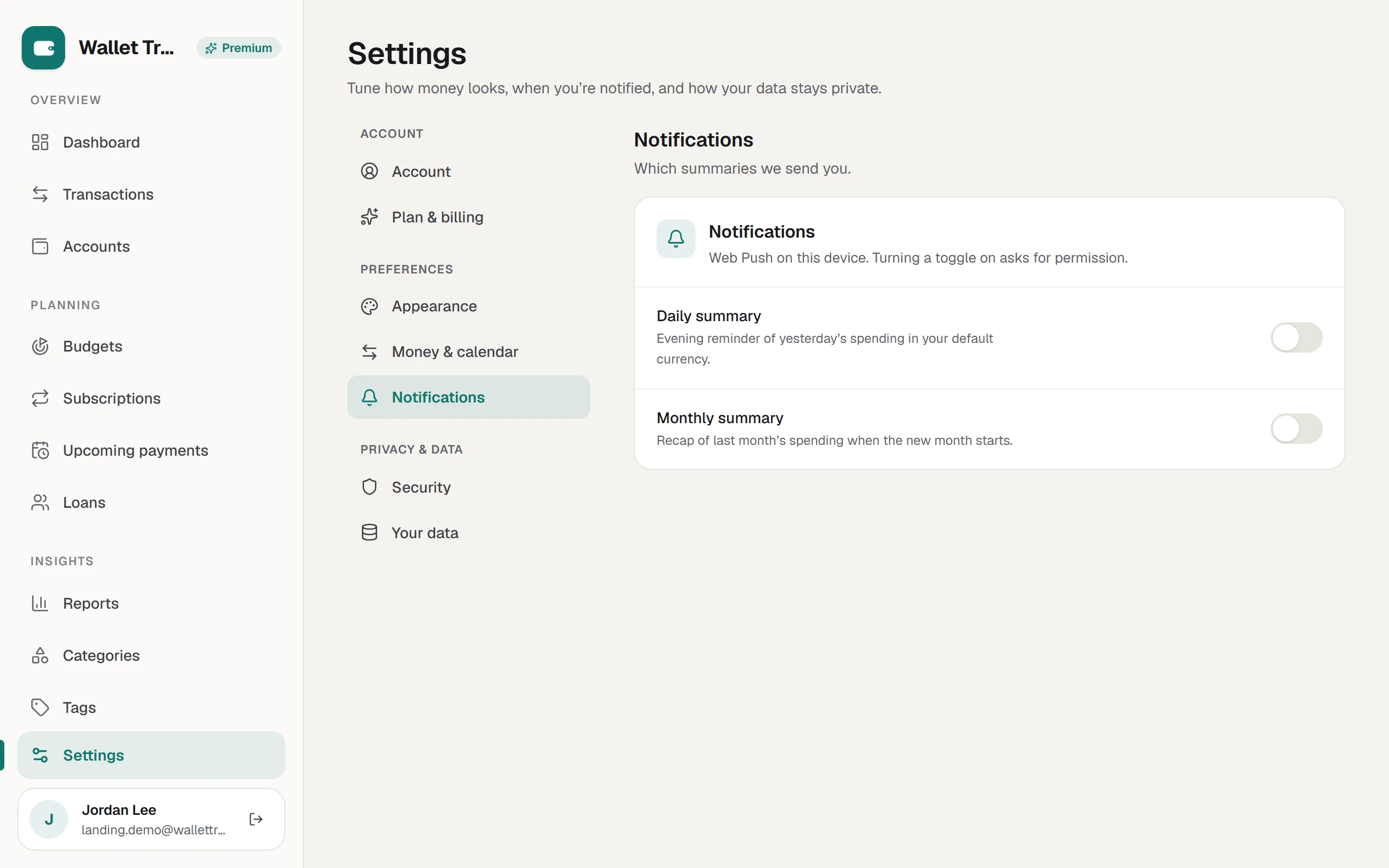
Notifications
Daily summary
Yesterday's spending, in your default currency
Monthly summary
A recap of last month when the new one starts
Security
Password
Changing it signs you out on other devices
App lock
Off, or a 4 to 6 digit PIN
Biometrics
Fingerprint or face, on Android
Your data
Cloud storage
See your usage, then browse, open and delete files
Export
All data as a ZIP, or transactions as CSV or JSON
Reset data
Wipes the wallet after you confirm your password
Delete account
Asks for your password and a reason
Android only
Data mode
Local only, Private (Drive backup) or Cloud sync
Sync schedule
Real time, 5, 15 or 30 minutes, 1, 6 or 12 hours, daily or manual
Backup schedule
Daily, weekly, monthly or manual, with an optional passphrase
Home screen
Show, hide and reorder seven cards
SMS import
On or off, card and account digits, and income, expense and ignore keywords
Your finances are not our business model.
No ads, no data brokers and no bank credentials. On Android, you choose how far your data travels.
Local only
Everything stays on this device. No account needed.
Private
Backups go to the app's own folder in your Google Drive. Add a passphrase to encrypt them.
Cloud sync
Sign in to sync with the web app across your devices.
Why the Android app asks for Google access
Google Drive backup is optional. If you connect it, the app uses your Google email to identify the account and accesses only its own hidden Drive folder to save and restore your wallet backups. It cannot read your other Drive files. You can use the app without connecting Google Drive.
Prices shown are for paying on the web. On Android, Premium is bought through Google Play at its local price. One subscription unlocks Premium on both when you are signed in.
Yes. The Free plan has no time limit and needs no card: up to 3 accounts, 1 budget, and unlimited transactions, tags, reports and sync. Premium removes the limits and adds bills, subscriptions, loans and cloud receipts. If you stop paying, nothing you entered is deleted.
Do the Android app and the web stay in sync?
Yes, when you are signed in to the same account. Changes sync both ways automatically. On Android you can also use the app local-only, without an account, and sign in later to start syncing.
Does it connect to my bank?
No. You record transactions yourself, so there are no bank passwords and no third-party aggregators. On Android, SMS import can suggest entries from bank messages, and those messages stay on your phone.
Can I use more than one currency?
Yes. Every account has its own currency. Transfers between currencies save the rate you used, and reference rates refreshed daily help with suggestions and totals in your base currency.
What happens when I am offline?
The app keeps working. New and edited records are saved on your device, clearly marked as pending, and synced automatically when you reconnect.
Who can see my data?
Only you, when you are signed in. We do not sell data or show ads. The providers that host the service process data only to run it, and the Privacy Policy lists them.
Can I take my data with me?
Yes. Export everything as one ZIP of CSV and JSON files from Settings, or export any period from Reports.
Does it give financial advice?
No. It is an organizing tool that shows your own numbers back to you clearly. For investment, tax or legal decisions, speak to a qualified professional.
Is Arabic fully supported?
Yes. Every screen is translated and laid out right to left, with an Arabic typeface chosen to read well alongside numbers.
Your next purchase is the best place to start.
Install the app, add your accounts, and log it before the receipt prints.
1Open Google PlayTap the button on your Android phone.
2InstallTap Install on the Wallet Tracker page.
3Open and startPick local-only or sign in to sync.
On a computer?
Scan with your Android phone to open Google Play.
iPhone app coming soon.
Join the waitlist to hear first when Wallet Tracker lands on the App Store, with early access before public release. Sent in your language, never shared, and you can unsubscribe at any time.